Book a Demo

Document Data Extraction software for Enterprise Workflows

Use AI Document Data Extraction to turn documents into structured fields and tables your teams can use across operations. Collatio extracts values with page-level context, preserves table structure, and supports review for edge cases.

Request a Demo
banner

Clients

Trusted by teams that extract high-volume document data every day

What Makes Collatio Effective for Automated Document Data Extraction

Document data extraction starts once Collatio digitizes your files into machine-readable content. From there, it detects where information sits on each page, extracts it with context, and structures it into consistent attributes across varied layouts, vendors, and regions.

Multi-format extraction across business files

Multi-format extraction across business files

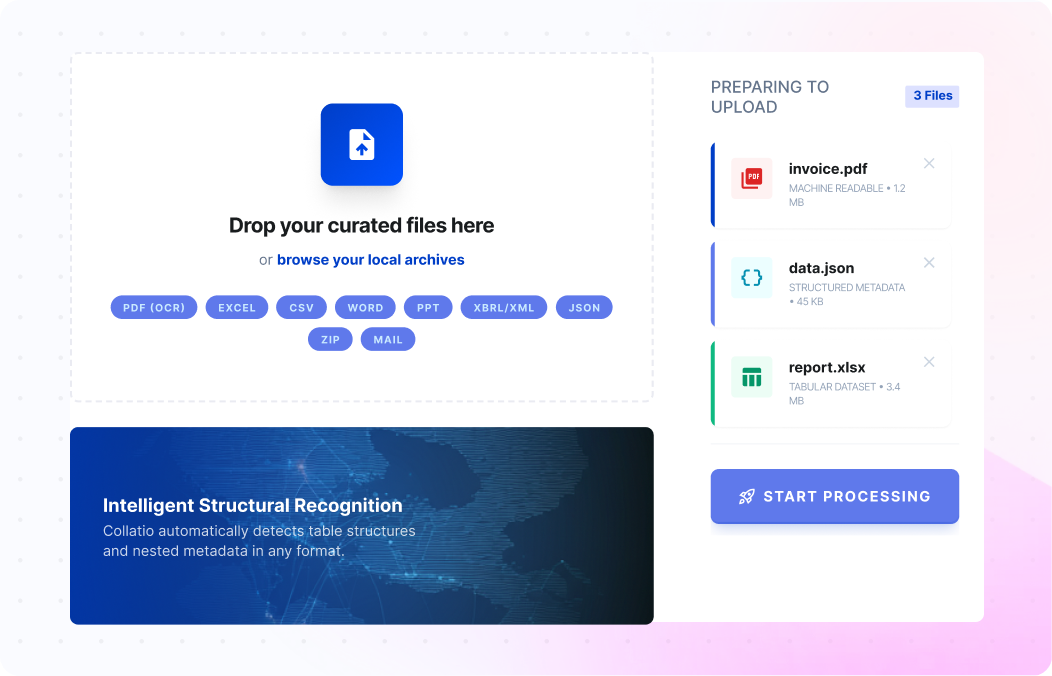
Collatio accepts machine-readable PDFs, scanned PDFs, and images such as JPEG, JPG, PNG, and TIFF. It also supports business formats such as Excel, CSV, Word, PPT, XBRL/XML, JSON, ZIP archives, and mail. Teams handle mixed inputs through one flow, instead of creating separate processes for each format. This supports large operations where documents arrive in different file types daily.

Region detection with bounding boxes for precise capture

Region detection with bounding boxes for precise capture

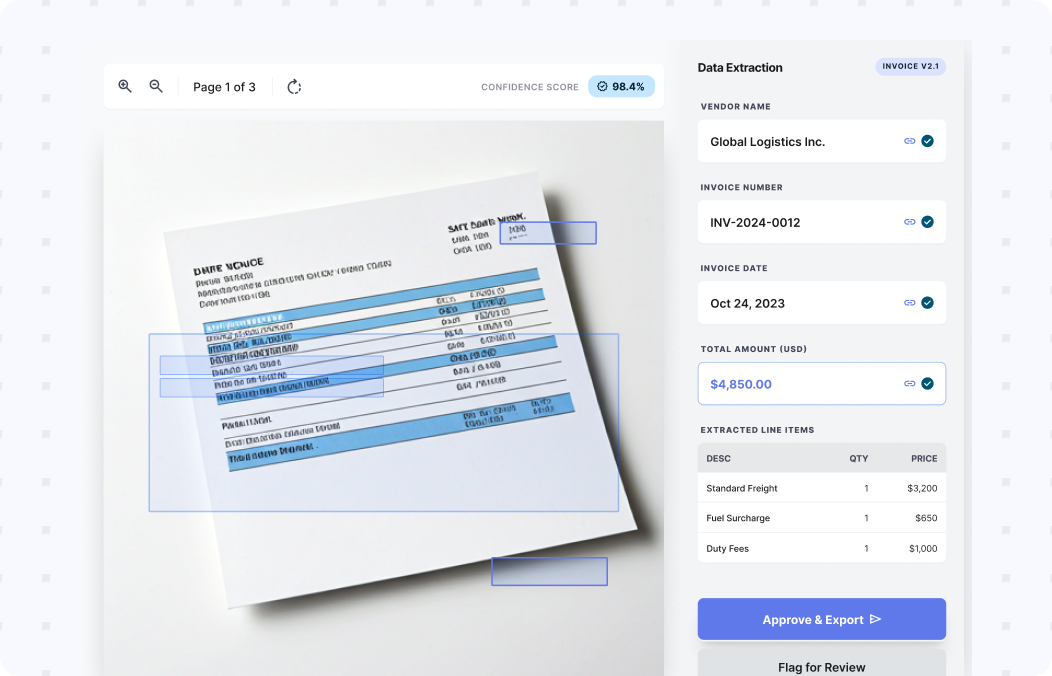
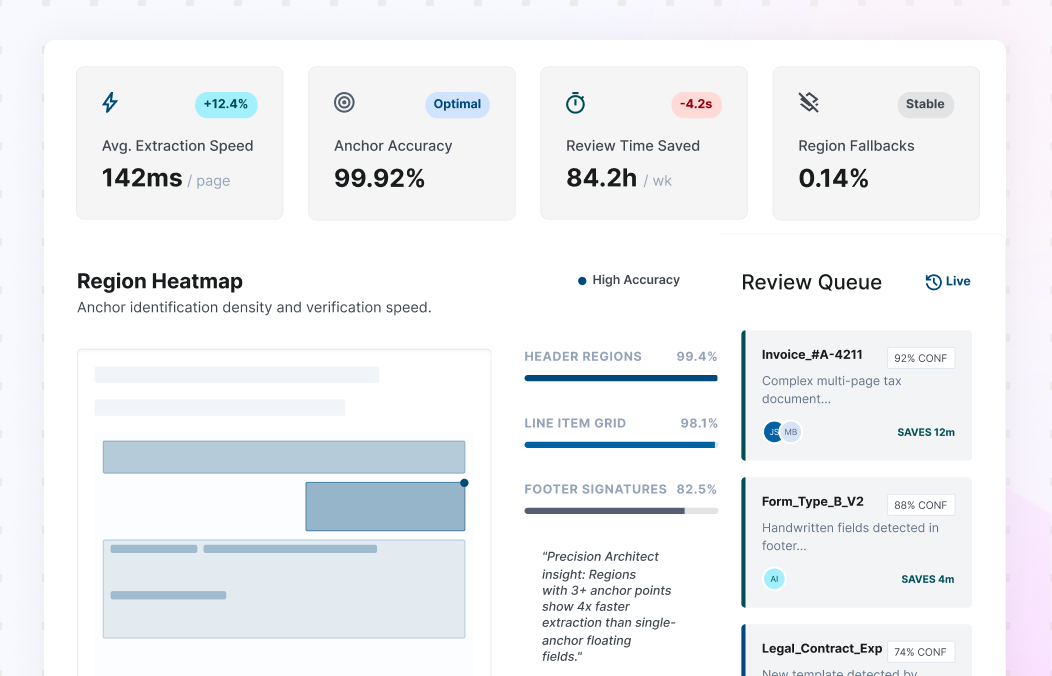
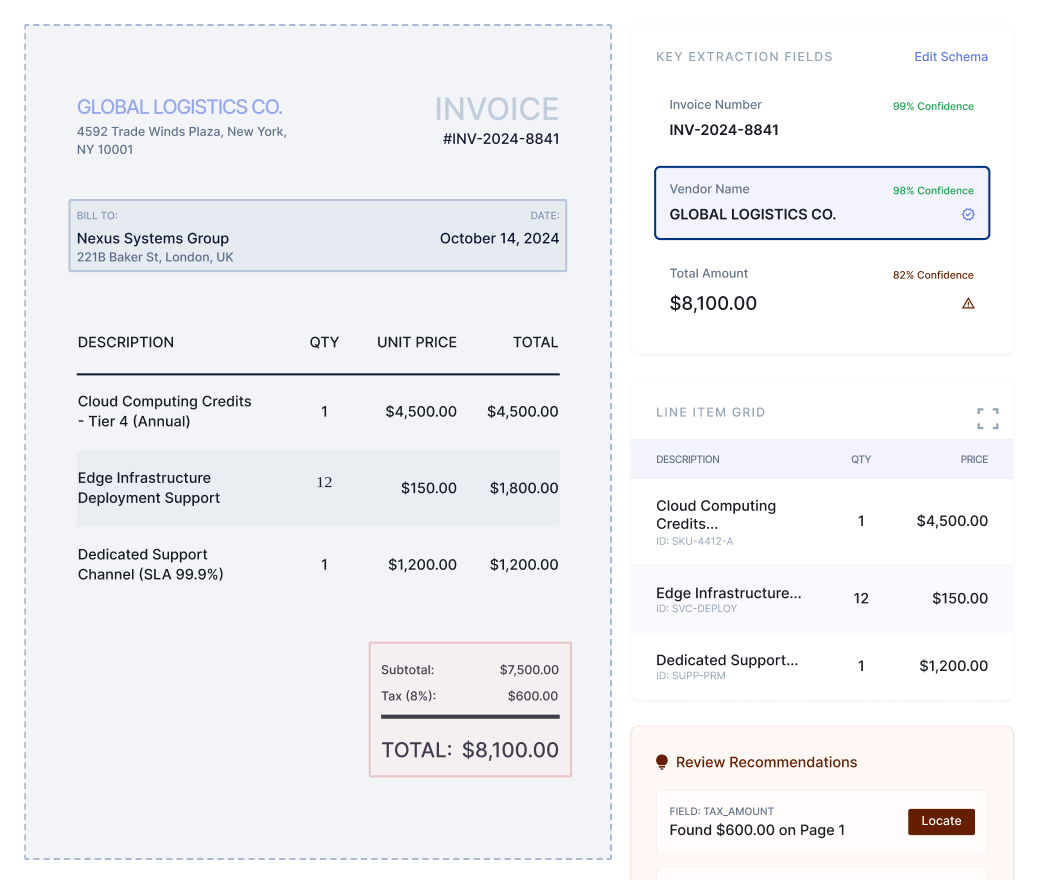
Collatio uses bounding boxes to locate text blocks, cells, tables, and visual regions on the page. This mapping keeps extracted values tied to the exact source location. Reviewers can confirm outputs faster because they can reference the page region that produces the value. Region-based extraction also holds up when layouts shift across vendors, templates, or scanned versions of the same document.

Key-value extraction with document context ontology

Key-value extraction with document context ontology

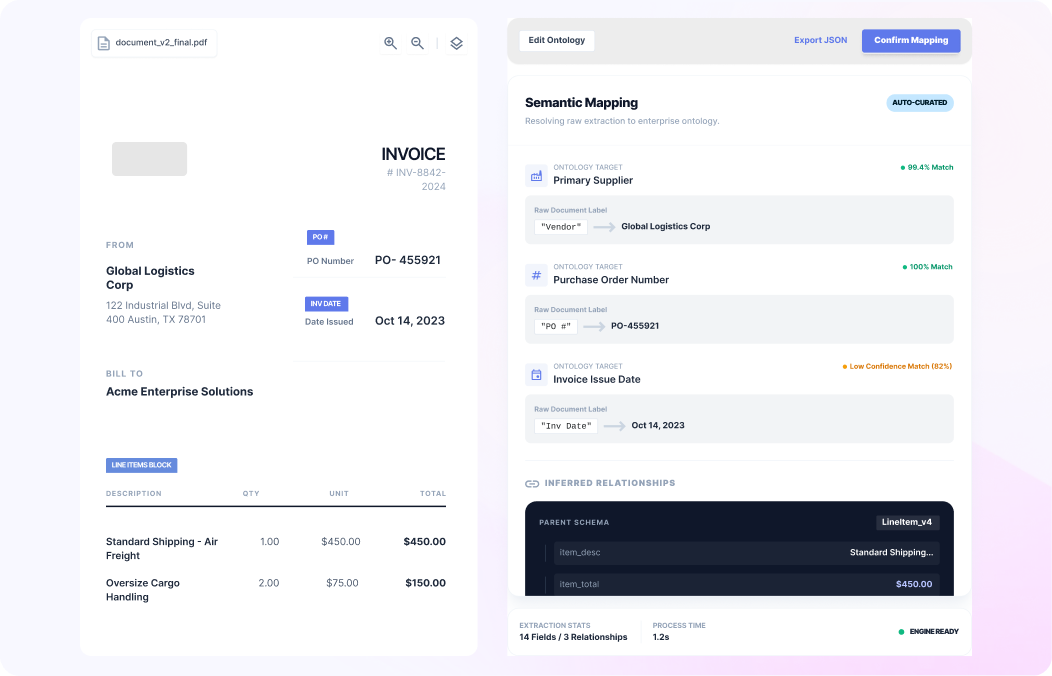
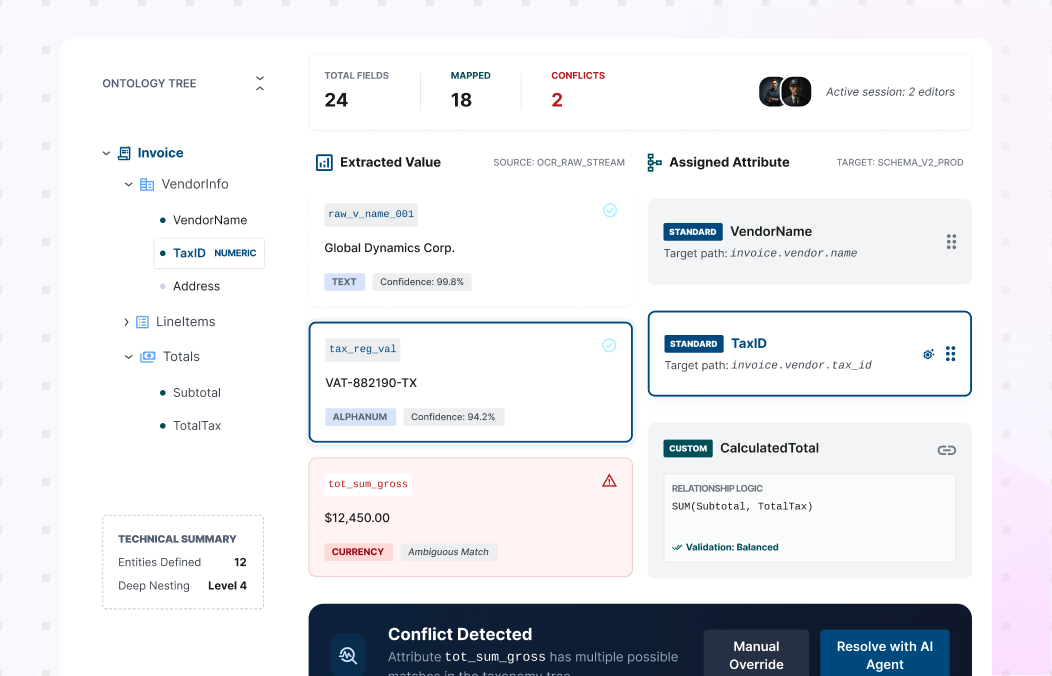
Collatio performs Document Data Extraction for key-value pairs from printed text and structured layouts. After extraction, document context ontology applies meaning in context. For example, “PO” maps to Purchase Order in procurement documents. This keeps attribute naming consistent and preserves relationships across fields. Teams get structured outputs that reflect business intent, not isolated text fragments.

Table extraction that preserves rows, columns, and meaning

Table extraction that preserves rows, columns, and meaning

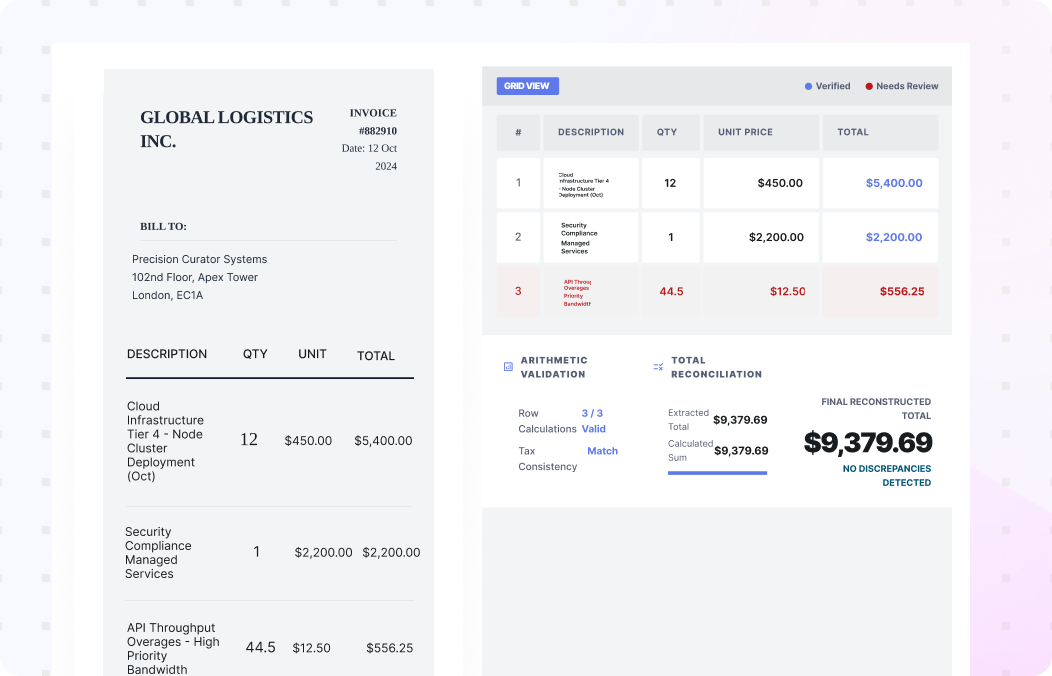
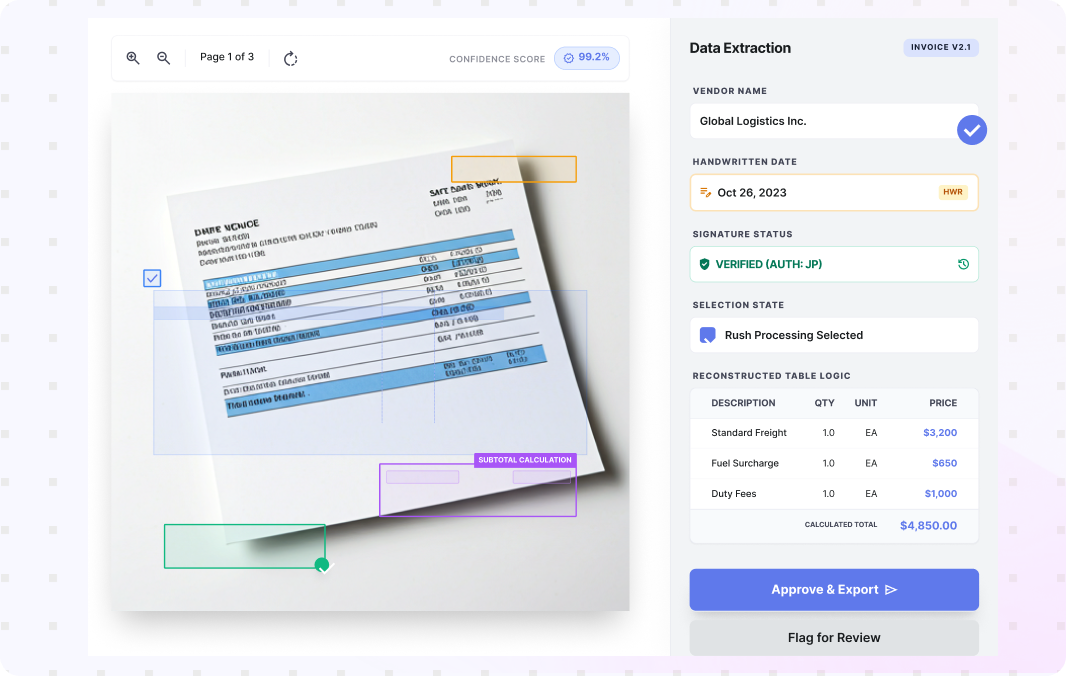
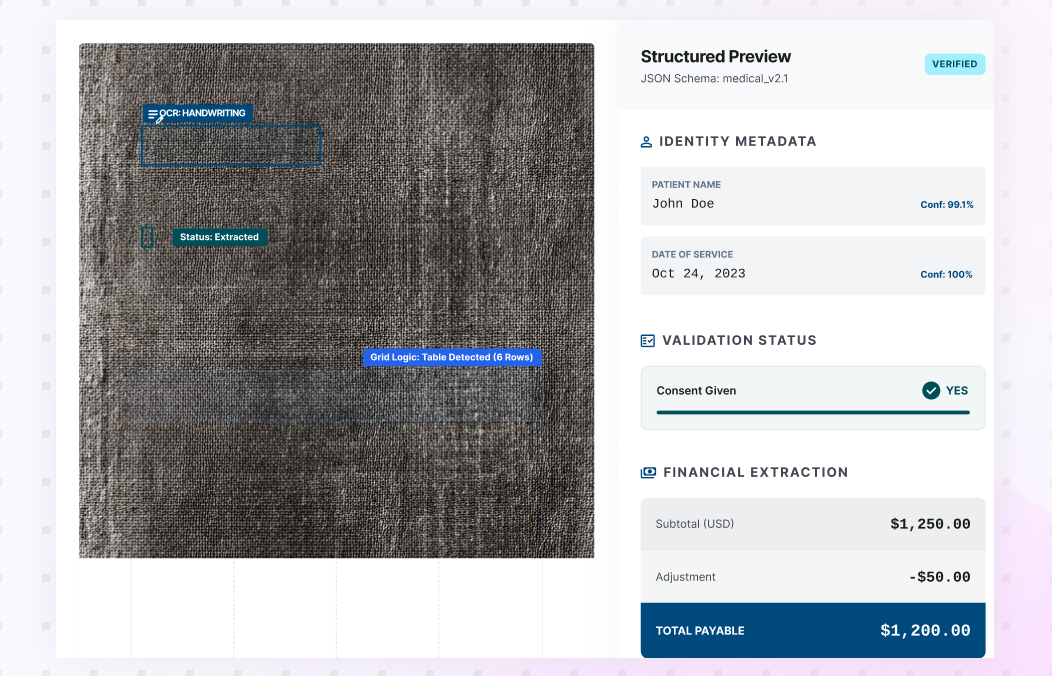
OCR output often breaks tables into disconnected text and loses row and column meaning. Collatio reconstructs tables so relationships stay intact. This helps teams extract line items, totals, taxes, quantities, and multi-page tables without manual reformatting. Preserved structure supports downstream analysis and reduces errors that come from flattened table text, especially in line-item-heavy documents.

Extraction beyond text for operational edge cases

Extraction beyond text for operational edge cases

Collatio extracts content beyond standard text fields. It supports handwritten text, signatures, checkboxes, equations, currency notations, and embedded visual fields when they appear in documents. This matters when teams handle scanned inputs, mixed-quality images, and photo captures. The same extraction flow covers these elements, which reduces exception volume and keeps outputs consistent across varied document sources.

Charts and visual regions captured for structured use

Charts and visual regions captured for structured use

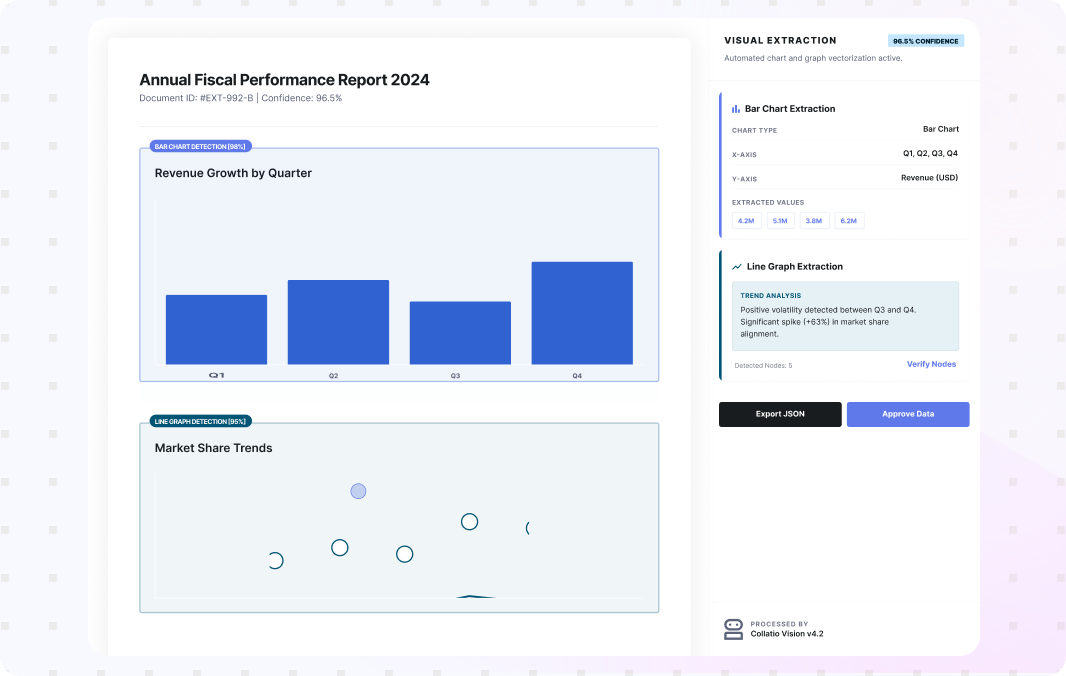
Collatio extracts information from visual content such as flow diagrams and charts, including line graphs, pie charts, and bar charts. It detects these regions during extraction and captures the relevant components for structured use. This helps teams process reports and statements where important values sit inside visuals rather than plain text. Review stays faster because the system points to the exact visual region.

Results From Structured Document Data Extraction

Structured document data extraction improves accuracy and speed by converting mixed formats into usable fields and tables with less manual effort.

0% +grow

Digitization accuracy for machine-readable PDFs

0% +grow

Accuracy for scanned PDFs and images

0% +grow

Table extraction accuracy for complex multi-page tables

0 grow

Language support for contextual understanding across document sets

Extract Usable Data at Scale With Collatio

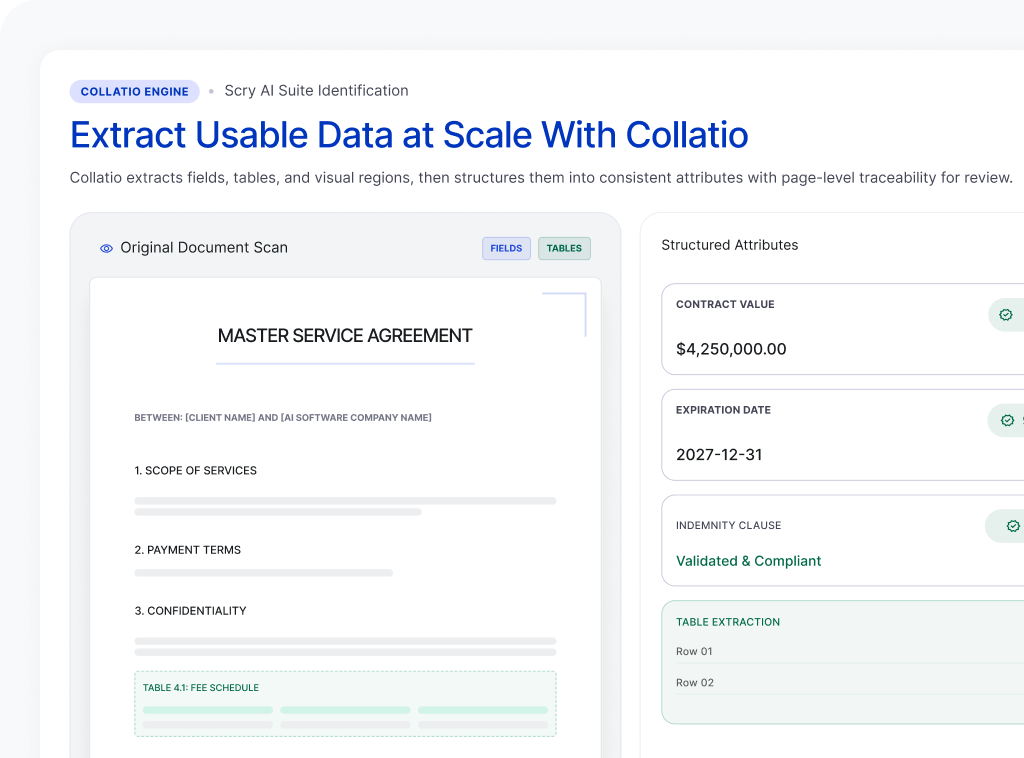
Collatio extracts fields, tables, and visual regions, then structures them into consistent attributes with page-level traceability for review.

Book a Personalized Demo
Demo Cta Image

How Does Collatio Run Document Data Extraction?

Start from digitized, machine-readable content

Collatio digitizes scanned inputs with neural OCR and uses native text for machine-readable PDFs. This creates readable content that extraction can use across varied scan quality and layouts.

Start from digitized, machine-readable content

Locate fields, tables, and visual blocks

Collatio identifies page regions through bounding boxes for text, cells, tables, and visual elements. These anchors improve extraction accuracy and speed up human review.

Locate fields, tables, and visual blocks

Capture fields, tables, and complex elements

Collatio extracts key-value pairs, table rows, and embedded elements such as checkboxes, signatures, handwriting, equations, and currency notations when present.

Capture fields, tables, and complex elements

Convert outputs into consistent attributes

Collatio structures extracted values into standard attributes. Ontology applies the correct meaning in context and preserves relationships across fields and tables.

Convert outputs into consistent attributes

Resolve low-confidence points and export results

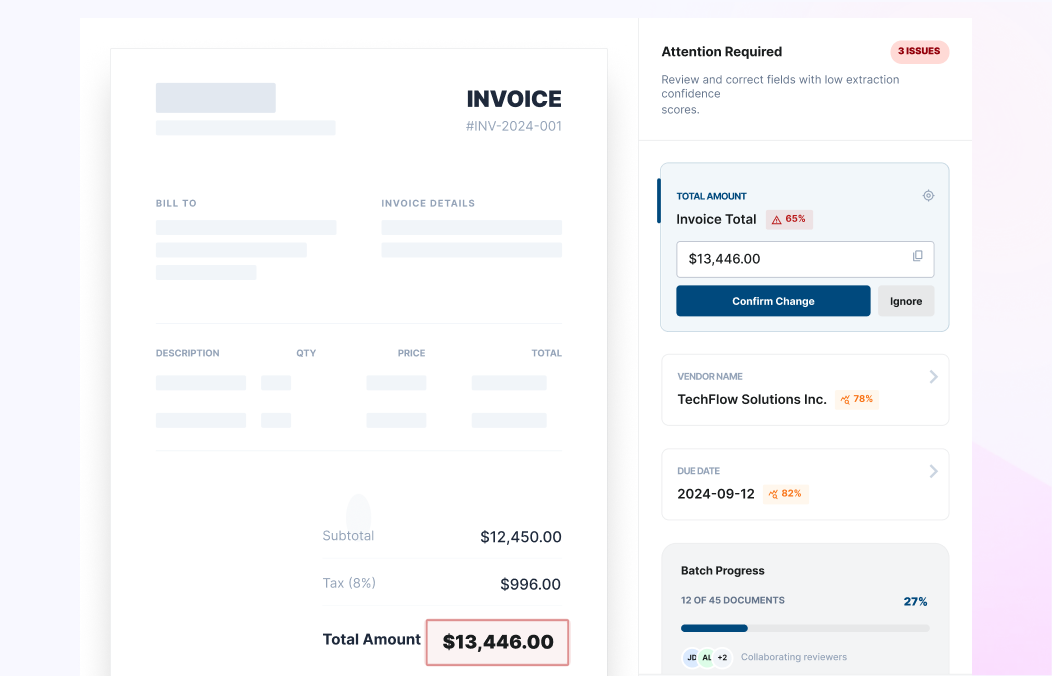
When confidence drops, Collatio directs reviewers to the exact region on the page. Teams then export structured results through supported outputs such as JSON or CSV, or through API delivery.

Resolve low-confidence points and export results

Industries We Serve

Security and Audit Controls for Extracted Data

SOC
ISO
  • Data Security Compliance

    ISO 27001 and SOC 2 Type II aligned controls support secure infrastructure and data handling.

    Work within you enivorment
  • Privacy Regulations

    GDPR, HIPAA, and CCPA alignment supports lawful processing across environments.

    Data encryption
  • Enterprise Governance

    Access control, audit trails, and role-based permissions support accountability.

    Secure integrations

Deliver Extracted Data to Your Workflows

Collatio supports delivery through API-based workflows and export-ready structured outputs so extracted fields and tables can be used in business processes without manual re-entry.

Turn Messy Documents Into Clean Data With Collatio

Extract key terms and line items across layouts, then review only what needs attention.

Book a Free Demo

Insightful Resources

Discover how SCRY AI solutions bring accuracy and innovation in document processing, conversational AI, and IoT operations.

Frequently Asked Questions

Below are answers to common questions about Document Data Extraction, from structured field capture and table retention to scanned-file processing and reviewer verification.

Document Data Extraction software converts information inside files into structured fields and tables. It captures values from documents and outputs consistent attributes teams can use in downstream workflows.

Teams usually check 3 things: table structure retention, support for complex elements (handwriting, signatures, checkboxes), and clear bounding-box traceability that links each value to its source region on the page.

Teams shortlist Collatio because it extracts key-value pairs and tables using bounding boxes, reconstructs tables to preserve row and column meaning, and applies document context ontology so terms keep the right business meaning.

Collatio extracts key-value pairs and tables, plus handwriting, signatures, checkboxes, equations, currency notations, charts, and flow diagrams when they appear in business documents.

Yes. Collatio digitizes scanned PDFs and images with neural OCR, then runs extraction on the digitized content to produce structured outputs.

Collatio ties extracted values to page regions through bounding boxes, which keeps each value linked to its source location for verification.