Book a Demo

AI Document Classification Software for Enterprise Workflow

AI Document classification helps sort incoming documents by type, keep multi-document submissions organized, and reduce manual triage. Collatio supports automated document classification across high-volume queues to route documents with fewer delays and mislabels.

Request a Demo
banner

Clients

Trusted by enterprises managing complex document intake at scale

What Collatio Handles for Automated Document Classification

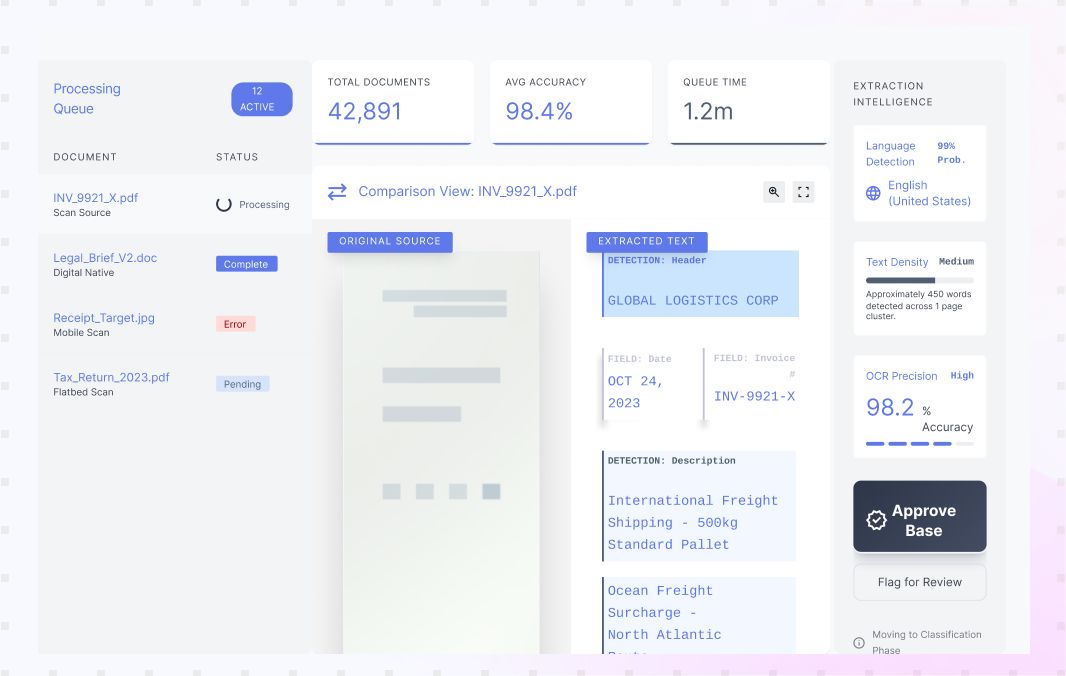
Document classification begins once documents become machine-readable through OCR or native text. Collatio identifies the document type, groups related files into packages where needed, and flags missing items early.

Multi-source intake with status tracking

Multi-source intake with status tracking

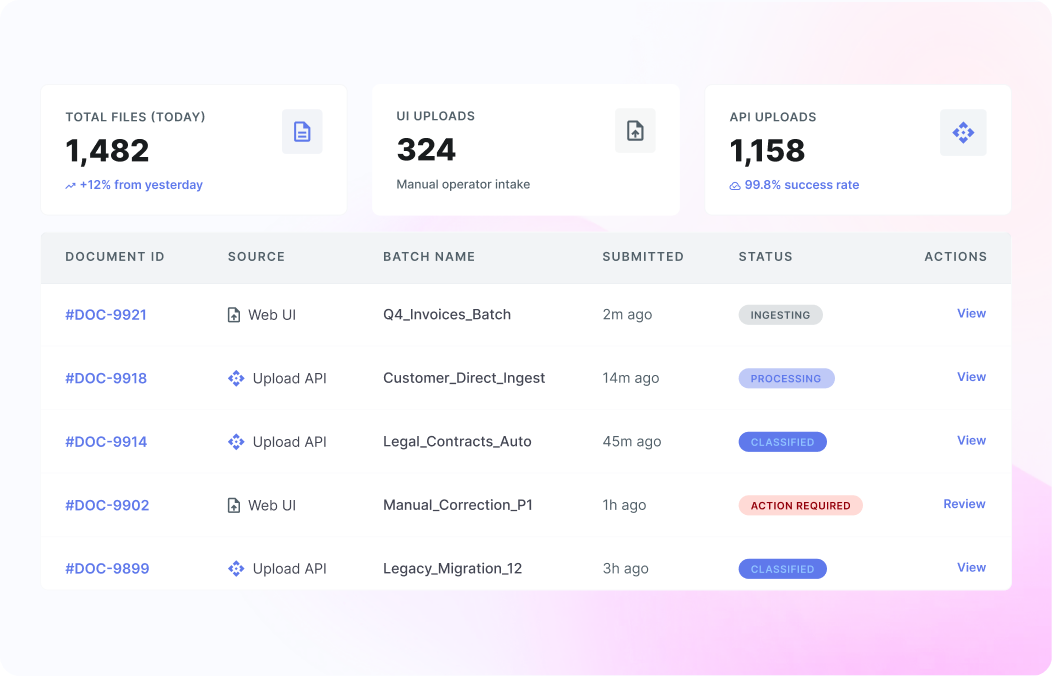
Collatio accepts documents through the UI and the Upload API, and it supports batch uploads for high-volume queues. Every file appears in the document listing with its current processing status, so teams can track what arrived and what is next. This is useful when different departments submit documents through different channels and you still need one view of intake and progress.

Document type identification across 80+ categories

Document type identification across 80+ categories

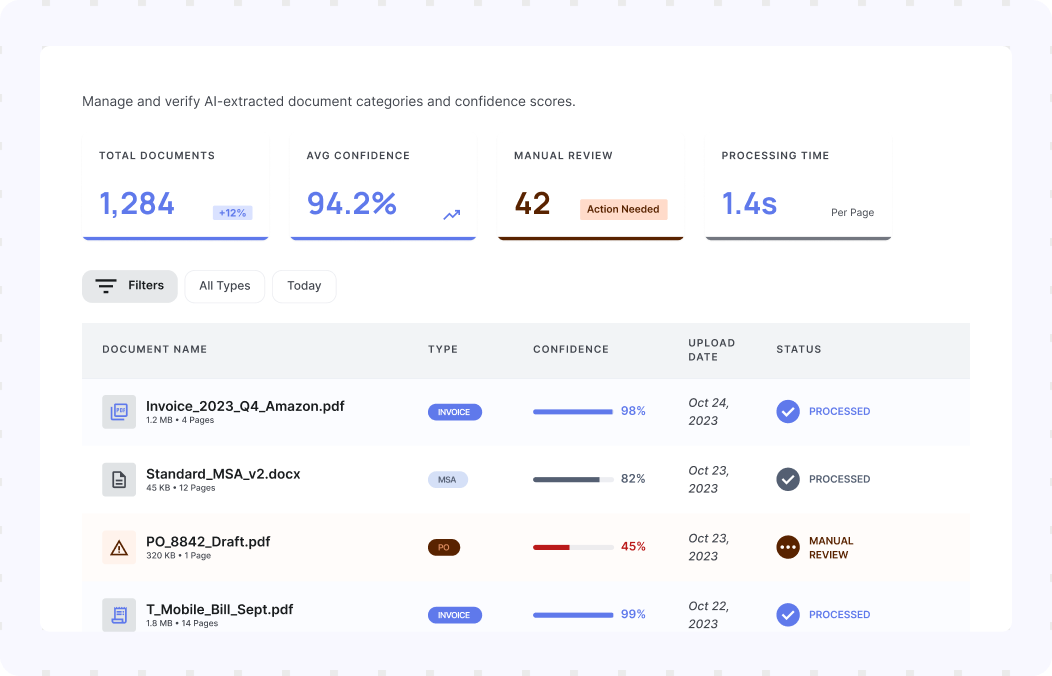
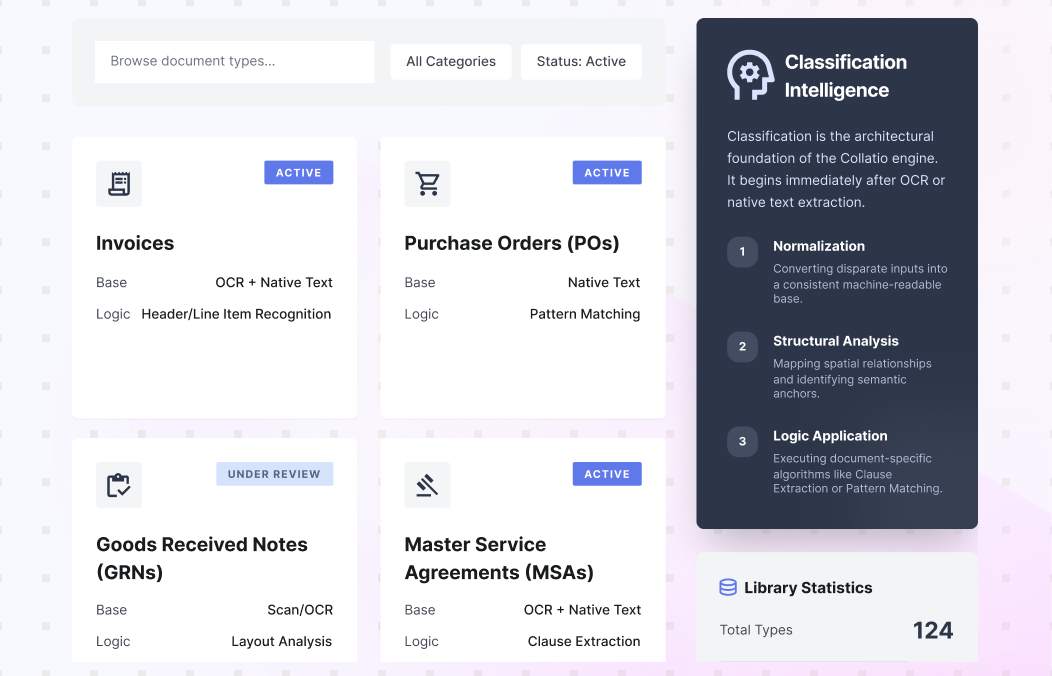
Collatio automatically identifies document types such as invoices, purchase orders, GRNs, and MSAs. It can recognize over 80 document types, from passports to financial statements and specialized form types. This supports Automated document classification at scale, even when layouts differ across vendors, regions, or scan quality.

Context-aware classification for mixed submissions

Context-aware classification for mixed submissions

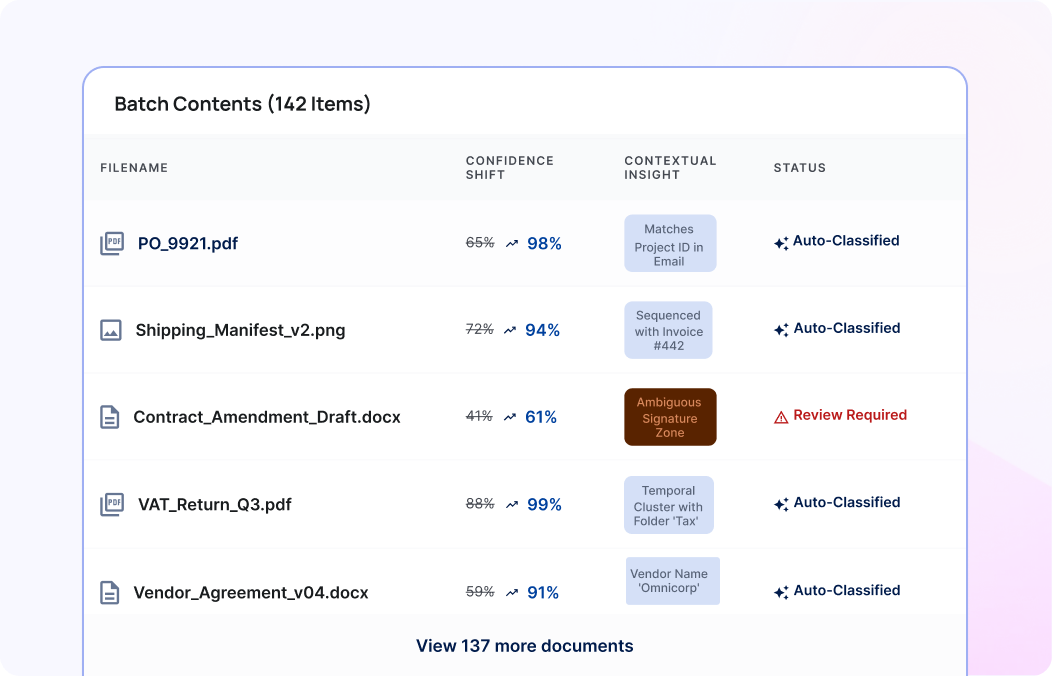
Document classification works best when the system understands context, not only keywords. Collatio uses available contextual signals to classify and categorize documents during processing. This reduces mislabels caused by similar headers or repeated terms across different document types. Teams spend less time rechecking document stacks as the classification step stays consistent across mixed submissions.

Document package recognition with missing-file alerts

Document package recognition with missing-file alerts

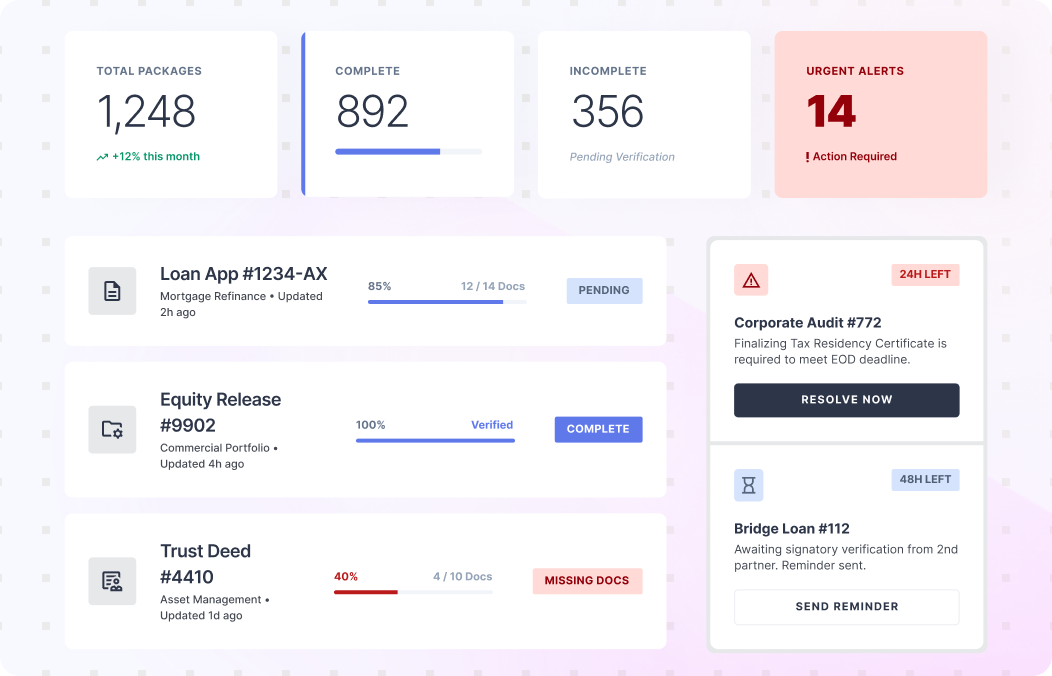
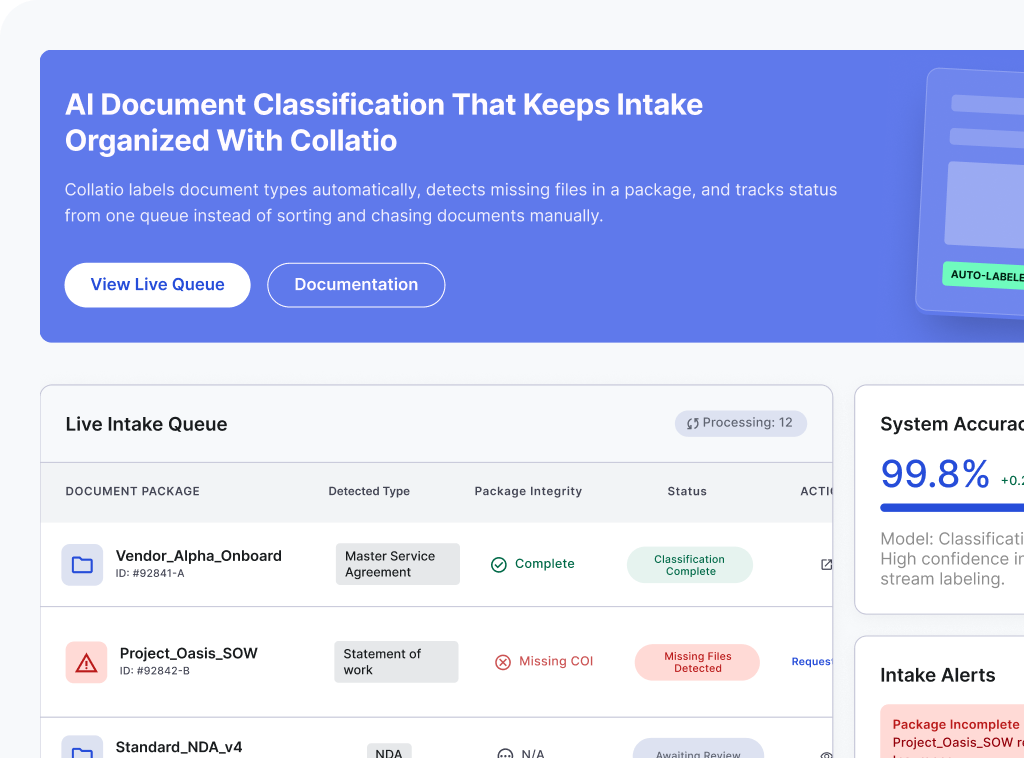
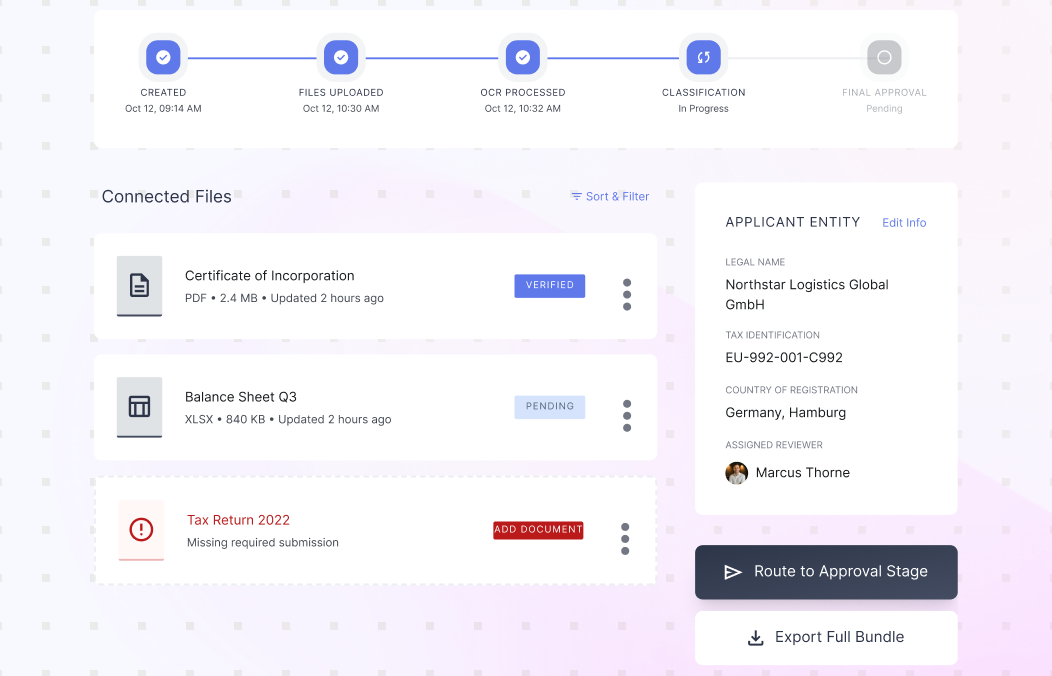
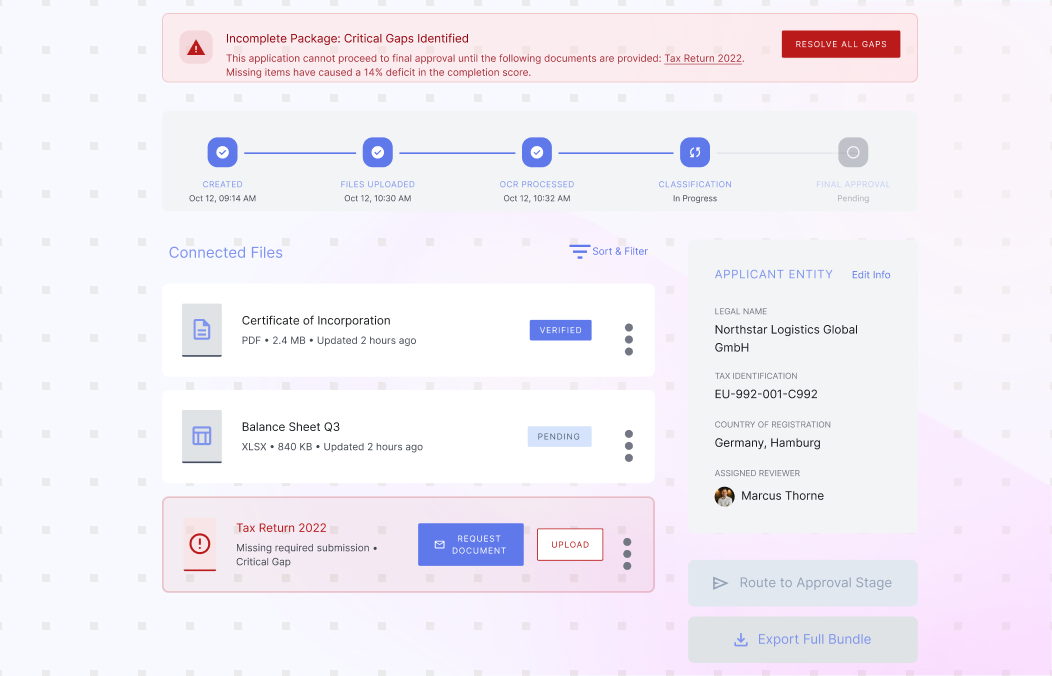
Many business processes require a complete set of documents, not a single file. Collatio identifies document groupings as document packages, such as loan applications or claims submissions. It checks package completeness and generates alerts when required documents are missing. This helps teams request missing items early and reduces delays caused by incomplete submissions, manual follow ups, rework later, and repeated requests.

Indexing signals for search and routing

Indexing signals for search and routing

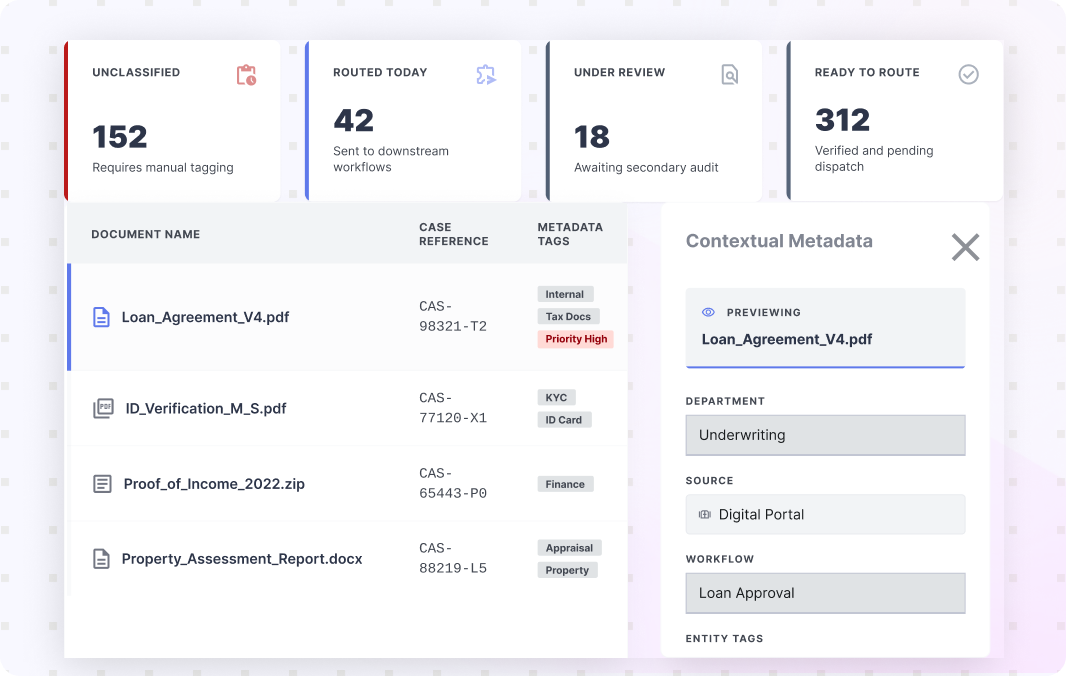
After classification, teams need fast search and clear filing signals. Collatio can assign contextual metadata that reflects a document’s role in a business process. Teams use these tags to organize documents by case, source, or workflow, and to route them to the next stage quickly. This keeps document classification usable for large queues, recurring submissions, shared-service teams, and daily operations.

Operational control for edge cases

Operational control for edge cases

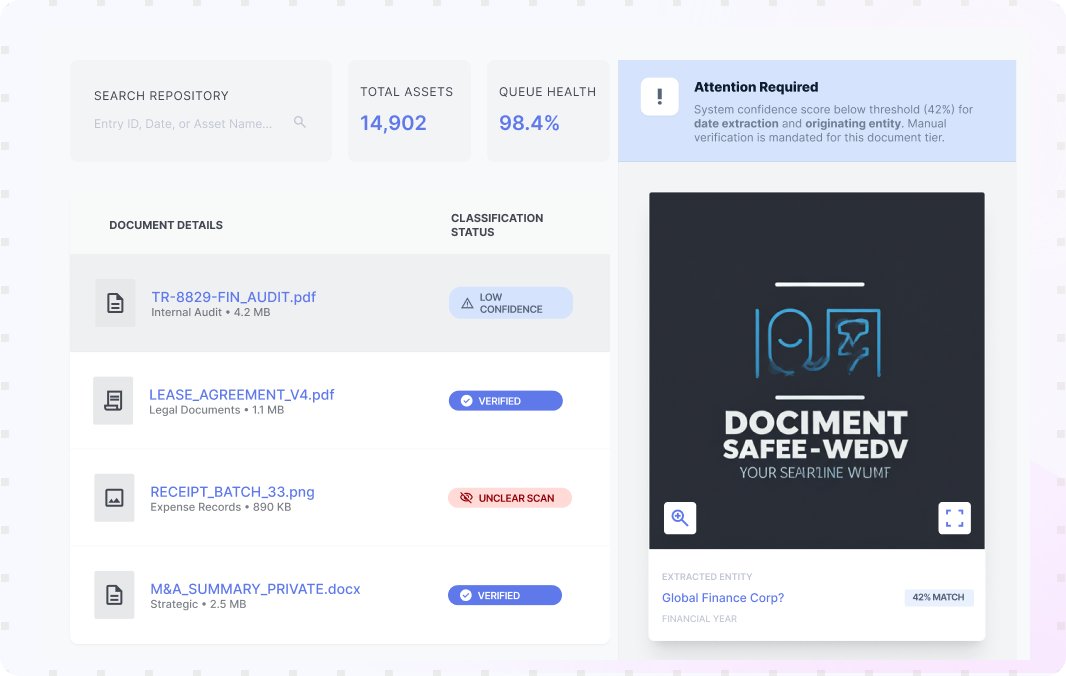
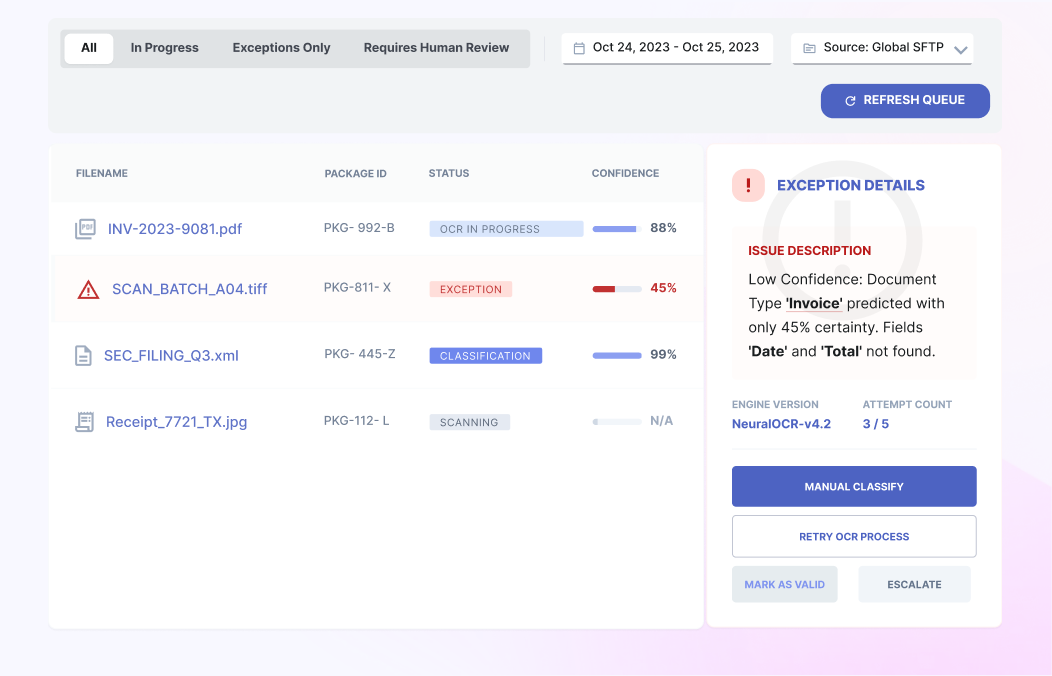
Classification can still face edge cases, such as unclear scans or uncommon layouts. Collatio keeps outputs visible in the listing view with statuses, so teams can spot items that need attention. This keeps control with the business team without stopping the full queue. It reduces manual sorting, avoids rework, and keeps routing consistent.

Results From Automated Document Classification

Automated document classification improves intake control by identifying document types early and reducing time lost to manual sorting.

0+ grow

Document types recognized

0+ grow

loan-related document types classified

0+ grow

Reduction in lender time and cost spent on missing docs

0% + grow

Data accuracy for documents

AI Document Classification That Keeps Intake Organized With Collatio

Collatio labels document types automatically, detects missing files in a package, and tracks status from one queue instead of sorting and chasing documents manually.

Book a Personalized Demo
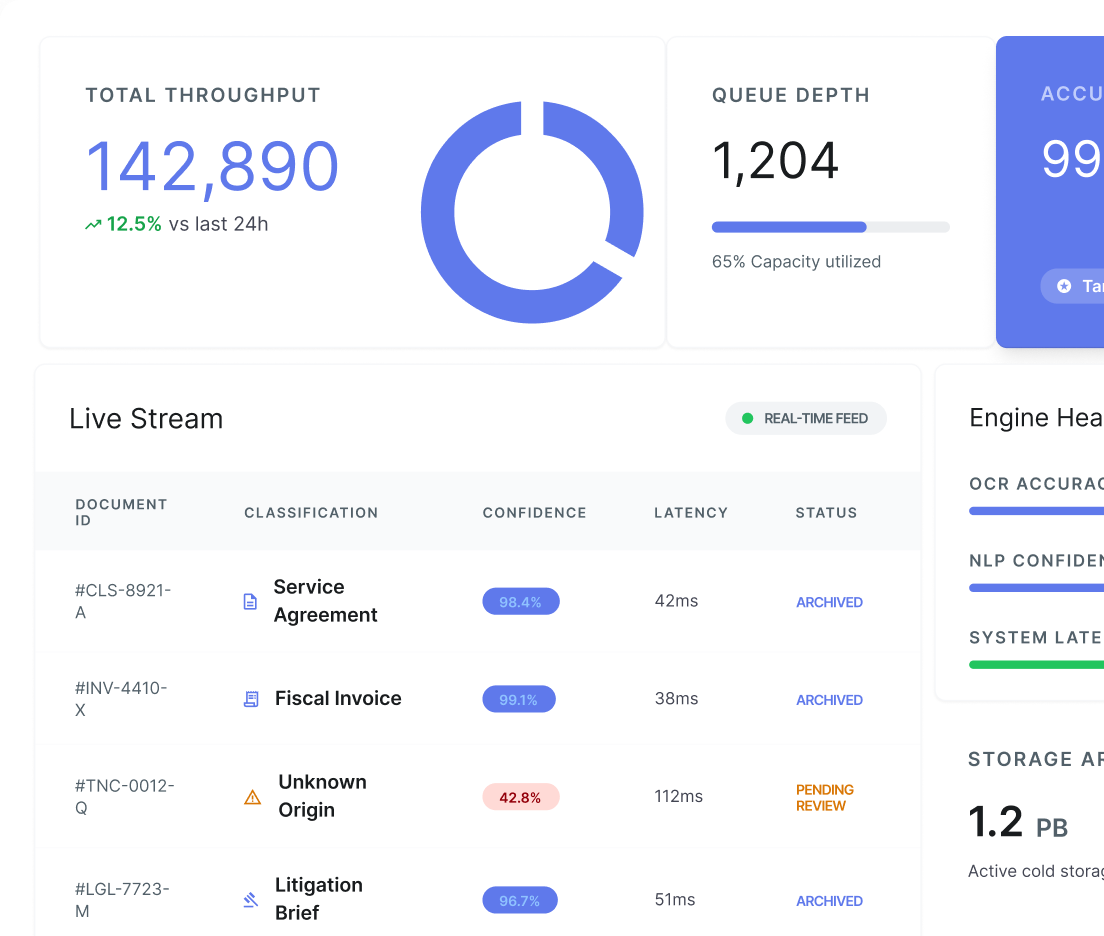
Dashboard Preview

How Does Collatio Automate Document Classification?

Start from machine-readable documents

Collatio begins classification after OCR or native text makes documents machine-readable. This creates a consistent base for recognizing types across scans and digital files.

Start from machine-readable documents

Detect the document type

Collatio classifies documents such as invoices, POs, GRNs, and MSAs, and supports recognition across a wide library of document types.

Detect the document type

Organize documents into packages when required

For processes like loan applications or claims, Collatio recognizes document packages and connects related files under a single submission.

Organize documents into packages when required

Flag missing items early

If required documents are missing from a package, Collatio can generate alerts so teams request gaps before work piles up downstream.

Flag missing items early

Monitor status and keep routing consistent

Teams use the document listing to track processing status and manage exceptions without losing control of the queue.

Monitor status and keep routing consistent

Industries We Serve

Security and Audit Controls for Classified Documents

SOC
ISO
  • Data Security Compliance

    SOC II and ISO 27001 compliance for enterprise security and privacy

    Work within you enivorment
  • Deployment Options

    Work within your environment with on-premises or cloud-based deployment options

    Data encryption
  • Encryption and Secure Handling

    Data encryption and secure handling to protect sensitive business documents

    Secure integrations

Deliver Extracted Data to Your Workflows

Collatio supports delivery through API-based workflows and export-ready structured outputs so extracted fields and tables can be used in business processes without manual re-entry.

Connected Intake and Integration Options

Collatio supports UI uploads and the Upload API for document intake. In custom deployments, it can ingest data directly from databases or servers when access is provided. It also secure API-driven integrations with ERP and CRM systems.

Book a Free Demo

Insightful Resources

Discover how SCRY AI solutions bring accuracy and innovation in document processing, conversational AI, and IoT operations.

Frequently Asked Questions

These FAQs cover how document classification software identifies, sorts, and tracks incoming files so teams can manage document intake.

Document classification software sorts documents into categories based on their content and context. Teams use it to organize intake and reduce manual sorting.

Automated document classification means the system identifies the document type automatically and applies consistent labels at scale, so teams do not sort documents by hand.

Collatio can recognize over 80 document types, from passports to invoices and financial statements, including specialized form types.

Yes. Collatio recognizes document packages and can flag missing documents so teams can request gaps early.

Teams can view uploaded documents in the document listing page along with current processing statuses, which helps track progress across batches.