 Accounts Reconciliation
 Financial Spreading
 Digital Archive
 SchematicIQ
 Loan Ops
 Docutwin
 Contract intelligence
 KYC/KYB
 Form Processing
 Investment Statements
 Enterprise Knowledge
Agent
Enterprise Knowledge
Agent Realtime Intelligence
 Customer Support 360
 Analytica
 CreditIQ
 City Intelligence
 Smart Utilities
 Connected Worker & Assets
 Drone Based Infra Monitoring
 SceneTrack


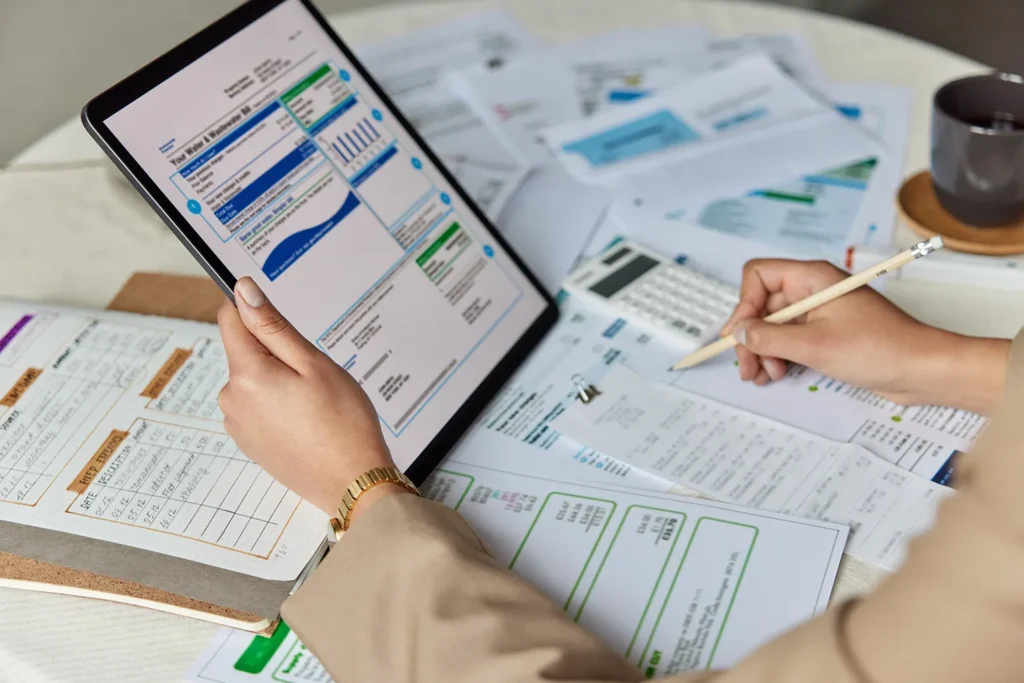
Utility bills look routine until teams have to manage hundreds or thousands of them across sites, vendors, meters, departments, and payment cycles. A missed bill, incorrect rate, duplicate charge, or delayed approval can affect budgets, reporting, and vendor relationships. For finance, AP, facilities, and operations teams, utility bill management software is more than storing invoices.
It is about tracking bills, validating usage and charges, routing approvals, and keeping payment data ready for accounting. For this list, we reviewed more than thirty platforms. We checked product documentation, demo flows, feature depth, integrations, and fit for real billing operations. The final twelve include platforms that serve different needs, from enterprise bill validation to utility billing solutions for providers.
Best Utility Bill Management Software at a Glance
| Rank | Software | Best for |
| 1 | Collatio by Scry AI | AI-powered utility bill processing and AP control |
| 2 | MuniBilling | Municipal utility billing and customer portals |
| 3 | Flux | Configurable energy and utility billing |
| 4 | Kraken | Utility operating system for energy retailers |
| 5 | Urjanet | Utility bill and interval data aggregation |
| 6 | Tridens Monetization | Multi-utility billing and meter-to-cash workflows |
| 7 | Datagate | Telecom billing for MSPs and UCaaS providers |
| 8 | inHance | Utility billing for small and mid-sized utilities |
| 9 | AMCS Utility Billing | Water, energy, waste, and telco billing |
| 10 | Oracle Utilities | Enterprise utility customer care and billing |
| 11 | Bynry | Utility management for small and mid-sized utilities |
| 12 | MaxBill | Multi-utility billing, CRM, and revenue management |
Why Businesses Need Better Utility Bill Tracking
Utility bills often move through finance, AP, facilities, and operations teams before they are approved and paid. When this process depends on inboxes, spreadsheets, or manual checks, teams can miss billing errors, duplicate invoices, usage spikes, late fees, or vendor changes.
The problem becomes harder for businesses with multiple sites, several utility providers, and different billing formats. Better utility bill tracking helps teams see what has been received, what needs review, what is approved, and what is pending payment.
It also helps compare usage, validate charges, route bills to the right approver, and keep records ready for accounting or audits. For companies managing electricity, gas, water, telecom, or waste bills across locations, stronger tracking can improve cost visibility and reduce avoidable payment issues.
12 Best Utility Bill Management Software Platforms in 2026
For this list, some platforms help businesses receive, validate, track, and pay utility bills, while others work better for utility providers that need billing, customer care, and revenue management. The platforms below reflect those differences, so you can compare each option with its actual use case.
1. Collatio by Scry AI

Collatio by Scry AI is built for businesses that need to manage utility bills across multiple providers, locations, departments, and cost centers. It focuses on the finance and accounts payable side of utility bill management software. Teams can use it to capture bills, extract invoice data, validate usage and charges, route approvals, and prepare records for accounting systems.
Collatio can process electricity, water, gas, telecom, and other utility bills from PDFs, scanned documents, images, and portal-generated files. It checks bills against historical usage, contract terms, rate details, business rules, and predefined thresholds. It allocates utility costs to the right locations, departments, projects, and cost centers based on configured business rules
Key Features
- Processes utility and energy bills across electricity, water, gas, telecom, and other provider categories
- Extracts utility bill data from PDF and image-based invoices, including line items, meter numbers, and charges
- Validates bills against historical usage patterns, contract terms, business rules, and predefined thresholds
- Flags duplicate charges, rate issues, consumption changes, recurring fees, missing values, outliers, and format mismatches
- Classifies documents by type, such as electricity, gas, water, or telecom bills, before routing them into the right processing logic
- Converts processed utility invoices into GL-ready entries that align with the company’s chart of accounts
- Syncs validated utility bill data with ERP, accounting, energy management, reporting, and accounts payable systems
Pros
- Helps AP and finance teams reduce manual bill capture, validation, approval routing, and posting work
- Useful for teams that need earlier visibility into duplicate charges, incorrect rates, usage spikes, recurring fees, and billing exceptions
- Supports cost allocation and GL-ready outputs, which helps finance teams prepare cleaner records before payment
- Connects utility bill processing with approval, reconciliation, reporting, and accounting workflows
Cons
- Limited third-party benchmarks
- Pricing is not listed publicly
- Setup effort may depend on bill volume, provider formats, and system integrations
2. MuniBilling

MuniBilling is a cloud-based utility billing software built for municipalities, public utilities, and smaller organizations that bill customers for local services. It can support different service types or fees, unlimited rates and tiers, automated meter reading connections, accounting software, GIS software, and customer-facing portal needs.
The platform is more useful for organizations that generate utility bills for customers. It fits municipal teams that need billing cycles, customer account management, payment posting, rate setup, and self-service access in one system.
Key Features
- MuniBilling can bill for different utility services, fees, rates, and tiers
- It supports integrations with automated meter reading systems, accounting packages, and other systems
- It includes a customer portal for account access, bill payment, and customer self-service
- It supports customer account management, billing cycles, payment posting, and reporting
- It works as a cloud-based utility billing and CIS toolkit for municipal operations
Pros
- Its ease of use and utility billing efficiency
- Good customer service
- Good fit for municipalities that need customer portals and billing workflows
Cons
- Suited to customer-facing municipal billing than internal utility bill tracking
- Larger utility providers may need to evaluate reporting and scalability depth
- Buyers need a vendor discussion to confirm pricing and setup effort
3. Flux

Flux is an energy and utility billing platform built for energy sellers that need flexible billing configuration. It supports billing for traditional and new energy products, including renewable energy, solar, batteries, EV-related services, power purchase agreements, virtual power plants, dynamic tariffs, incentives, rebates, and broker commissions.
The platform fits utility providers that need to launch or update energy products without long development cycles. It is not a finance-side utility bill management software for companies receiving utility invoices. Its main value sits in customer billing, tariff configuration, and energy retail product billing.
Key Features
- Flux supports configurable energy and utility billing for energy sellers
- It helps calculate and bill different units of energy across mass-market and C&I customers
- It supports tariffs, incentives, rebates, broker commissions, and customer-segment billing logic
- It supports renewable energy products, solar, batteries, EV services, and power purchase agreements
- It allows billing teams to change tariffs and exception tolerances without developer effort
Pros
- Helps energy retailers in flexible tariff and product billing
- Good fit for providers launching new energy products or pricing models
- It reduces dependency on development teams for billing configuration changes
Cons
- Limited public data
- Not suitable for AP teams tracking and validating utility invoices
4. Kraken
Kraken is an operating system for utilities, especially energy retailers that need customer management, billing, service operations, field work, and energy operations in one platform. Its customer management product gives agents customer billing history, payments, usage, and tariff information in one place.
The platform has expanded beyond energy into water and telco use cases, but it is still best understood as utility industry software for providers. It fits large utility operations that want a modern customer, billing, and operations platform.
Key Features
- Kraken supports customer management, billing, field services, and utility operations
- It gives agents visibility into customer billing history, payments, usage, and tariff information
- It supports energy, water, and telco utility use cases
- It is positioned as an AI-enabled operating system for utility providers
- It supports large utility migrations and utility customer operations
Pros
- Billing history, payments, usage, tariff data, and customer context in one operating view
- Useful for large utilities modernizing customer operations and service workflows
Cons
- Too large for smaller utilities with simple billing needs
- Migration and process change require careful planning
5. Urjanet

Urjanet is best positioned as a utility data aggregation platform. It helps organizations collect utility bill data and interval data from thousands of providers through connected online utility credentials. Urjanet is useful for companies that need standardized utility data for energy management, sustainability reporting, cost analysis, finance review, or portfolio-level utility tracking.
The platform is not a full AP approval or payment workflow system. It fits businesses that need cleaner access to utility data before they send that data into reporting, finance, sustainability, or bill management systems.
Key Features
- Urjanet aggregates utility bill data from a large provider network
- It collects utility bill data and interval data through connected online utility accounts
- It makes utility data available on demand or through scheduled delivery
- It supports energy, sustainability, finance, and property-related data use cases
- It helps standardize utility data collected from different providers
Pros
- Reduces manual collection from provider portals and PDF bills
- Useful for sustainability reporting, cost analysis, and energy management workflows
Cons
- Not a full utility billing software or AP approval platform
- Buyers still need systems for bill validation, approvals, payments, and accounting workflows
6. Tridens Monetization

Tridens Monetization is a cloud-based billing and monetization platform for energy and utility providers. It supports meter-to-cash-to-care workflows across electricity, gas, water, wastewater, sewerage, district heating, solar power, and property management services.
The platform helps providers manage customer data, product catalogs, billing, invoicing, payments, self-care, CRM, and analytics. It fits utility companies that need multi-service billing and customer-facing utility billing solutions.
Key Features
- Tridens supports meter-to-cash workflows for multiple utility services
- It supports electricity, gas, water, sewerage, district heating, and property management services
- It brings customer management, product catalog, billing, invoicing, payments, and analytics into one platform
- It supports single-invoice billing across multiple services
- It supports CRM and customer self-care functions for utility providers
Pros
- Its flexibility and configurable billing setup
- It helps teams manage product catalogs, pricing, billing, invoicing, and payments together
Cons
- New users may face a learning curve
- Buyers should validate fit for region-specific tax, meter, and regulatory needs
7. Datagate

Datagate is telecom billing software built for MSPs, UCaaS providers, VoIP providers, and telecom service providers. It helps providers rate, bill, bundle, tax, and invoice usage-based telecom services such as VoIP, tolls, toll-free, international, long-distance, cellular, and data plans.
Datagate also connects with PSA, accounting, tax, and payment systems used by MSPs. It belongs in our list only if telecom is included under the wider utility and recurring-service billing category. It is not a traditional electricity, gas, water, or internal utility bill management platform.
Key Features
- Datagate rates and bills usage-based telecom services such as VoIP, tolls, toll-free, long-distance, and international calling
- It supports billing across multiple providers and PBX systems
- It calculates sales and telecom taxes for invoices
- It integrates with ConnectWise Manage, Datto Autotask PSA, HaloPSA, QuickBooks, Xero, Stripe, and Authorize.net
- It offers a self-service customer portal for telecom billing operations
Pros
- Customer support and ease of use
- It helps add telecom billing without building billing infrastructure
- Reduces duplicate entry through PSA and accounting integrations
Cons
- Telecom-specific, so it is not suitable for wider utility billing
8. inHance

inHance offers Impresa, a customer information and utility billing system for small and mid-sized utilities. It focuses on customer information, billing, collections, business intelligence reporting, and automated task scheduling.
The platform fits utilities that need a practical system for billing operations, customer records, reporting, and day-to-day utility workflows. It is more relevant for water, electric, or gas utilities that generate customer bills than businesses using utility bill management software to process incoming invoices.
Key Features
- inHance Impresa supports customer information and utility billing for small and mid-sized utilities
- It supports billing and collections workflows
- It includes business intelligence reporting tools
- It supports automated task scheduling
Pros
- Best for performing reporting, billing, collections, and task scheduling together
- It can support utility operations without requiring a large enterprise platform
Cons
- Not meant for businesses managing received utility bills through AP
- Larger utilities need to test integration depth and reporting flexibility
9. AMCS Utility Billing

AMCS Utility Billing is a cloud-based utility billing platform for municipalities, private companies, and public utilities. It supports water, sewer, electricity, and broader utility billing needs through a customer information system that tracks customers, meters, invoices, and payments in one application.
It supports metered, stepped, and flat-rate automated billing, configurable rates, reports, contracts, invoicing, payment processing, and a customer portal. It is best suited to organizations that send utility bills to customers.
Key Features
- It tracks customers, meters, invoices, and payments in one system
- It supports water, sewer, electricity, and utility billing operations
- It supports metered, stepped, and flat-rate automated billing
- It includes configurable rate structures and reports
- It offers invoicing, payment processing, contract management, and customer portal support
Pros
- Cloud access and simple login
- Helps municipalities, private companies, and public utilities with standard billing needs
Cons
- Expensive compared with similar products
- Focused on provider-side billing than AP utility bill tracking
10. Oracle Utilities
Oracle Utilities is built for enterprise utility customer care, billing, meter-to-customer operations, and customer lifecycle management. Its customer platform supports metering, customer service, billing management, service orders, outages, analytics, usage patterns, and related utility operations.
The platform is a better fit for large electric, gas, and water utilities than smaller organizations looking for lightweight billing software. Enterprises should consider it when customer care, billing, service operations, and data scale are major requirements.
Key Features
- Oracle Utilities supports utility customer care and billing operations
- It connects meter, customer service, billing, service orders, and outage processes
- It supports electric, gas, and water utility operations
- It provides customer usage insights and smart meter-related analytics
- It can be deployed in cloud or on-premises utility environments
Pros
- Its feature depth and mature utility billing capabilities
- It keeps customer, billing, meter, and service workflows connected
Cons
- Customization can require significant effort
- Too large for small utilities with simple billing needs
11. Bynry
Bynry SMART360 is a utility management platform for water, electric, and gas utilities. It is built for utilities with roughly 3,000 to 100,000 connections and brings billing, meters, field operations, assets, reporting, customer operations, and utility workflows into one system.
It is positioned for small and mid-sized utilities that want to replace several legacy systems with one connected platform. It provides AI-driven analytics and integration support with utility management across billing, metering, service work, assets, and reporting.
Key Features
- Bynry SMART360 supports customer self-service portals
- It covers billing, meters, field operations, assets, reporting, and customer operations
- It is built for utilities with 3,000 to 100,000 connections
- It helps replace multiple legacy systems with one utility management platform
- It supports utility billing, service work, and operational reporting
Pros
- Good fit for small and mid-sized utilities moving away from legacy systems
- Asset management and integration support
Cons
- Larger utilities should evaluate enterprise-scale requirements
12. MaxBill

MaxBill is a utility billing and CRM platform for multi-utility suppliers, service providers, public utilities, property managers, and municipalities. It supports billing, payments, customer management, revenue management, invoicing, reconciliation, product and service portfolio configuration, partner management, and customer care operations.
MaxBill works across water, gas, electricity, energy suppliers, renewable providers, and distributed energy resource use cases. It fits companies that need CRM and revenue management.
Key Features
- MaxBill supports various billing models, payments, and customer management
- It supports public utilities, property managers, municipalities, and residential or commercial customer billing
- It includes CRM and customer care modules for utility providers
- It supports revenue management, invoicing, reconciliation, and partner management
- It supports traditional utilities, renewable providers, and distributed energy resource billing use cases
Pros
- CRM, revenue & partner management
- Strong utility-sector knowledge and product evolution
- Useful for providers handling several services, customer types, and revenue workflows.
Cons
- Implementation efforts for complex portfolios and regional billing rules
How to Choose the Right Utility Bill Management Software
Choosing the right utility bill management software starts with knowing whether you need to manage bills your business receives or generate bills for customers. These are two different needs. Finance and AP teams usually need bill capture, validation, approval routing, cost allocation, and accounting handoff.
Match the software to your billing use case
If your team receives electricity, gas, water, telecom, or waste bills, look for utility bill tracking software with extraction, validation, approvals, and accounting sync. If you are a provider, customer-facing utility billing software may be more relevant.
Check bill capture and validation depth
The software should capture bill data accurately, identify meter numbers, billing periods, rates, usage, charges, taxes, and late fees. It should then validate them against contracts, past usage, or approval rules.
Review approval routing and AP integration
Check whether the system can route exceptions, support reviewer roles, sync with ERP or AP systems, and prepare clean records for posting and payment. Since utility bill management often overlaps with invoice processing, approval workflows, and payment readiness, teams can also review the key features of accounts payable automation tools to understand what stronger AP automation should include.
Assess meter, rate, and usage tracking
A strong system should help teams compare usage across periods, locations, providers, and cost centers so billing issues can be flagged before payment.
Look for reporting, audit trails, and anomaly detection
The right software should provide clear reporting, exception logs, approval history, and anomaly detection for duplicate charges, sudden usage spikes, missing values, or unusual rate changes.
What Makes Utility Industry Software Enterprise-Ready?
Utility industry software becomes enterprise-ready when it can support the below features:
- Multi-site and multi-provider bill handling: The software should manage bills across locations, vendors, meters, utility types, and billing cycles without relying on spreadsheets
- Support for different utility types: It should work across electricity, gas, water, telecom, waste, sewer, or other service categories based on business needs
- Approval workflows and payment controls: Teams need clear review paths, exception routing, approval records, and payment readiness before bills move forward
- ERP, AP, and accounting integrations: Enterprise teams need clean data movement into accounting, ERP, AP, reporting, or payment systems
- Cost allocation and GL-ready outputs: The system should assign costs to the right site, department, project, or cost center and prepare records for posting
- Audit trails and compliance controls: Utility bill records should include approval history, data changes, exception logs, user activity, and supporting documents
Collatio by Scry AI Brings More Control to Utility Bill Management
Utility bill management becomes harder as invoice volumes, provider formats, locations, meters, and approval rules increase. Collatio by Scry AI is built for enterprises needs. It supports utility bill processing across electricity, water, gas, telecom, municipal services, and other provider categories. It can extract line items, meter numbers, billing periods, rate components, and charges from PDF and image-based invoices.
It can also validate bills against historical usage, contract terms, business rules, and predefined thresholds. This helps teams identify duplicate charges, rate issues, usage spikes, recurring fees, missing values, and other exceptions earlier.
For enterprises managing utility bills across multiple sites, departments, vendors, and cost centers, Collatio connects bill processing with AP control. It supports cost allocation, GL-ready outputs, approval routing, reconciliation, reporting, and ERP or accounting system sync.