Book a Demo

Automated Document Scanning Software for Enterprise Workflows

Run an Automated Document Scanning workflow that captures scan-based files, fixes page-quality issues, and creates searchable outputs teams can use with confidence. Collatio reduces manual rotate, split, rename, and re-scan work, so teams move from intake to action faster.

Request a Demo
banner

Clients

Trusted by teams that rely on scanned documents every day

What Collatio Handles in Automated Document Scanning

Collatio captures scans from common channels, fixes page quality issues before OCR, and converts documents into searchable text. It also handles common scan distortions, so OCR output stays readable across mixed-quality batches. Reviewers step in only when Collatio flags an exception.

Multi-Source Capture for Scanned and Digital Inputs

Multi-Source Capture for Scanned and Digital Inputs

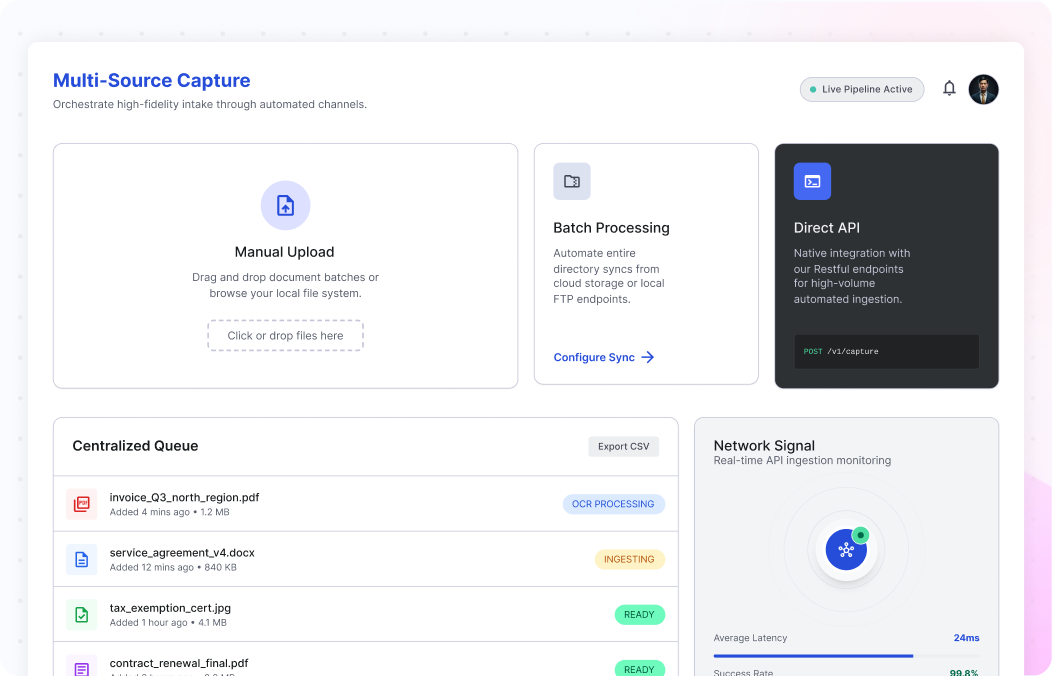
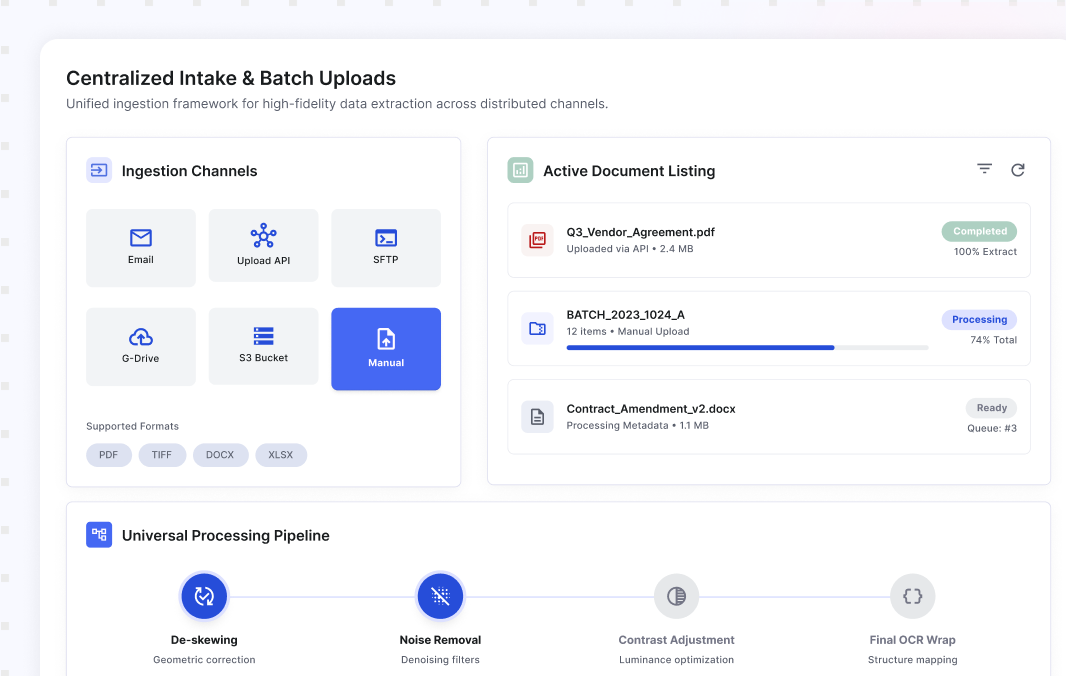
Collatio starts your Automated Document Scanning workflow through the UI upload flow or the ready-to-use Upload API. Teams can drag and drop files, upload in batches, or send documents through API intake. Every file appears on the document listing page with its processing status. Centralized intake reduces missed documents and makes it easier to track what arrived, what is processing, and what is ready next.

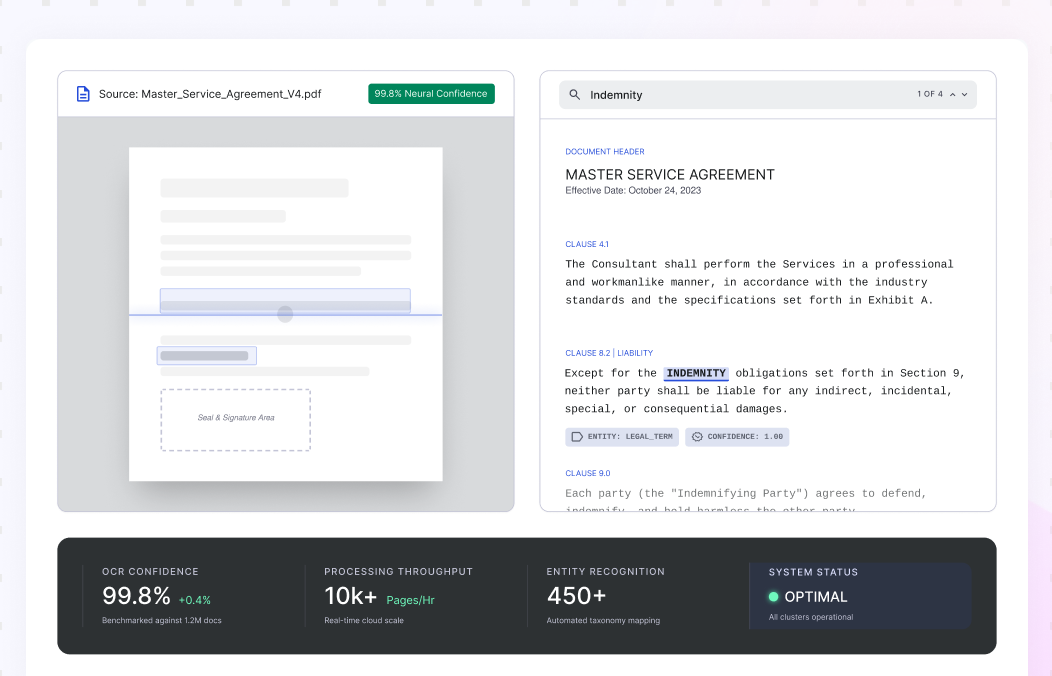
Searchable Output From Scans Using Neural OCR

Searchable Output From Scans Using Neural OCR

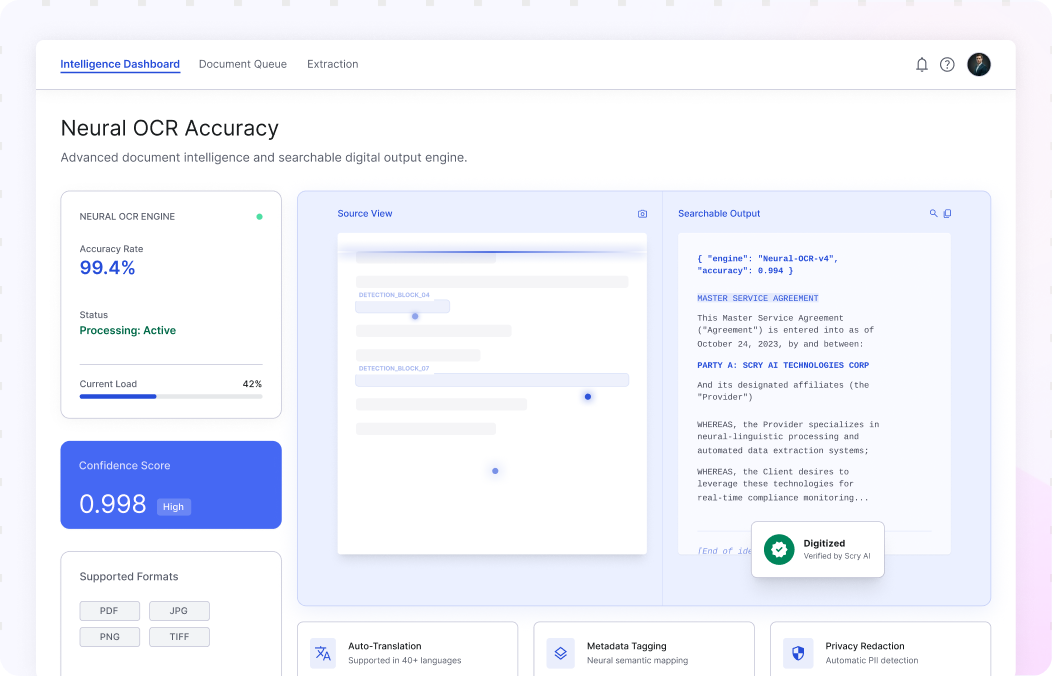
Collatio digitizes documents with proprietary neural network OCR. It digitizes machine-readable PDFs with more than 99% accuracy and processes scanned PDFs and images with accuracy greater than 97% when scans meet 200 DPI or more and are not extremely blurry. The result is searchable text retained alongside the original scan, across formats like PDF, JPG, PNG, and TIFF, without manual retyping.

Distortion Handling for Real-World Scans

Distortion Handling for Real-World Scans

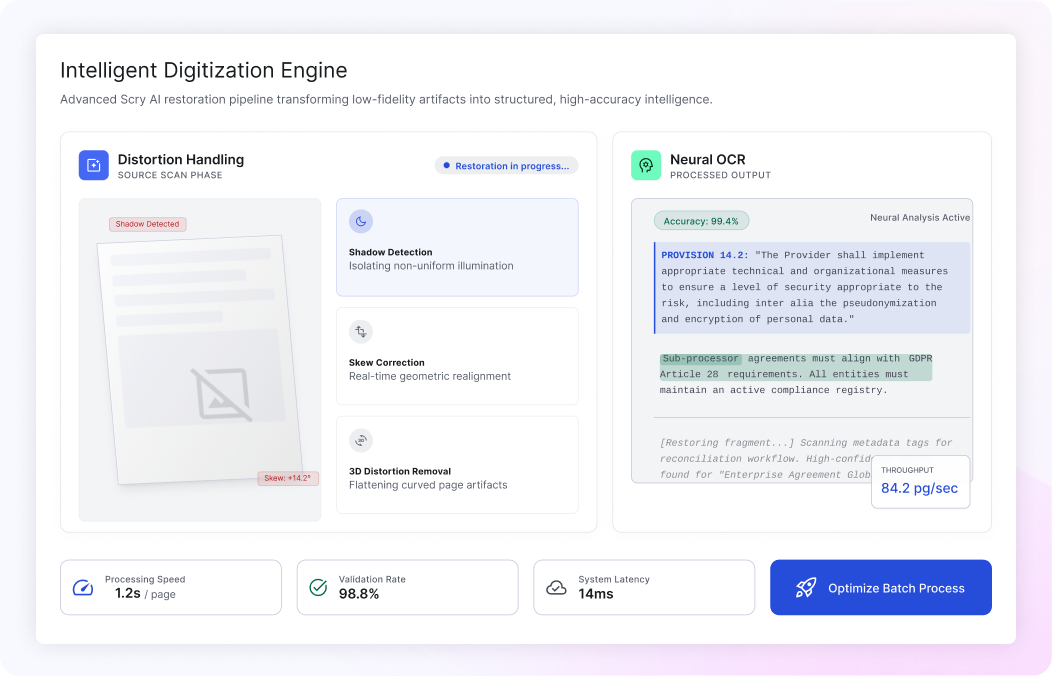
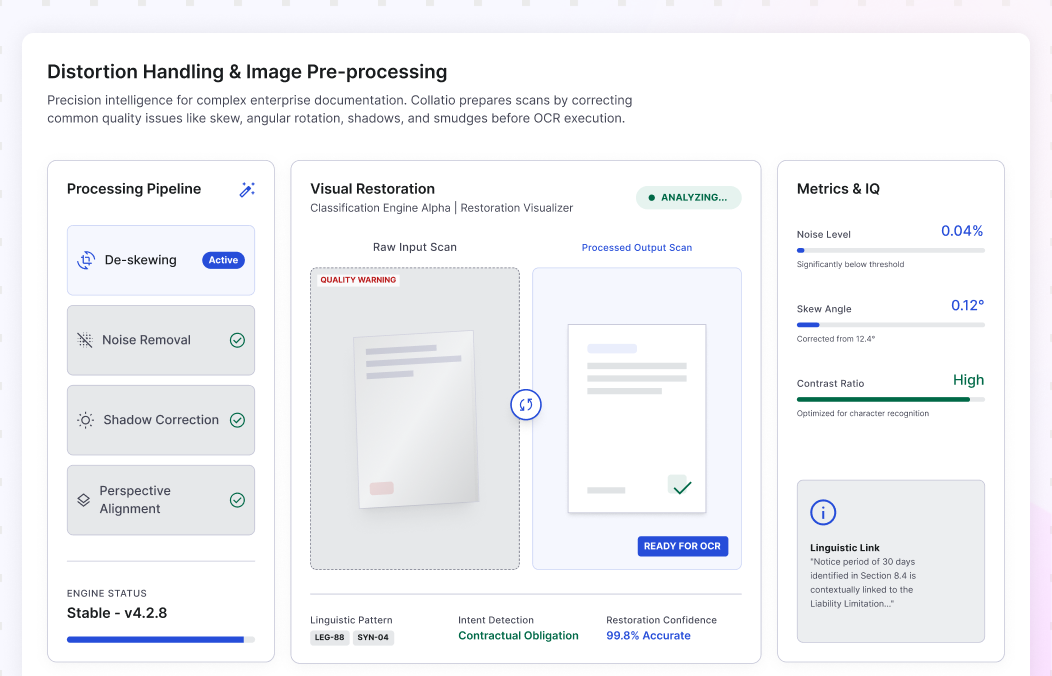
Real-world scans arrive with smudged text, shadows, skew, 3D distortion, and angled rotations. Collatio handles these page-quality issues before OCR decisions so text becomes clearer and more consistent across batches. This reduces re-scans and manual fixes, especially for mobile captures, photocopies, fax-like pages, and older archives, across thousands of pages per day. Cleaned pages also reduce variability across different scanners, teams, and locations.

Page-Level Structure Awareness for Faster Review

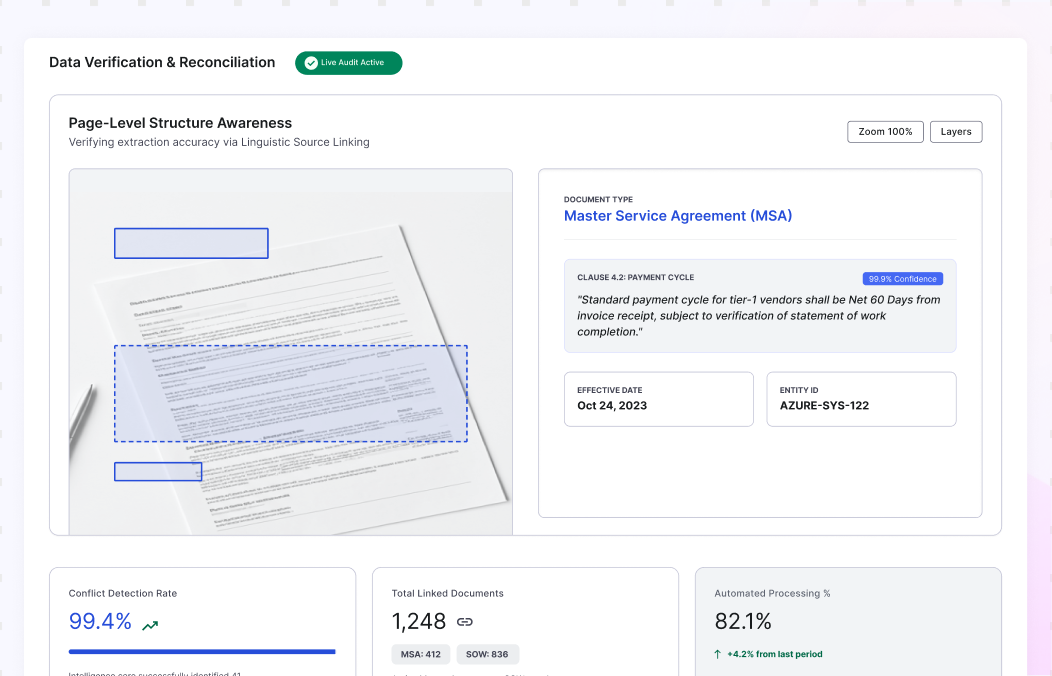
Page-Level Structure Awareness for Faster Review

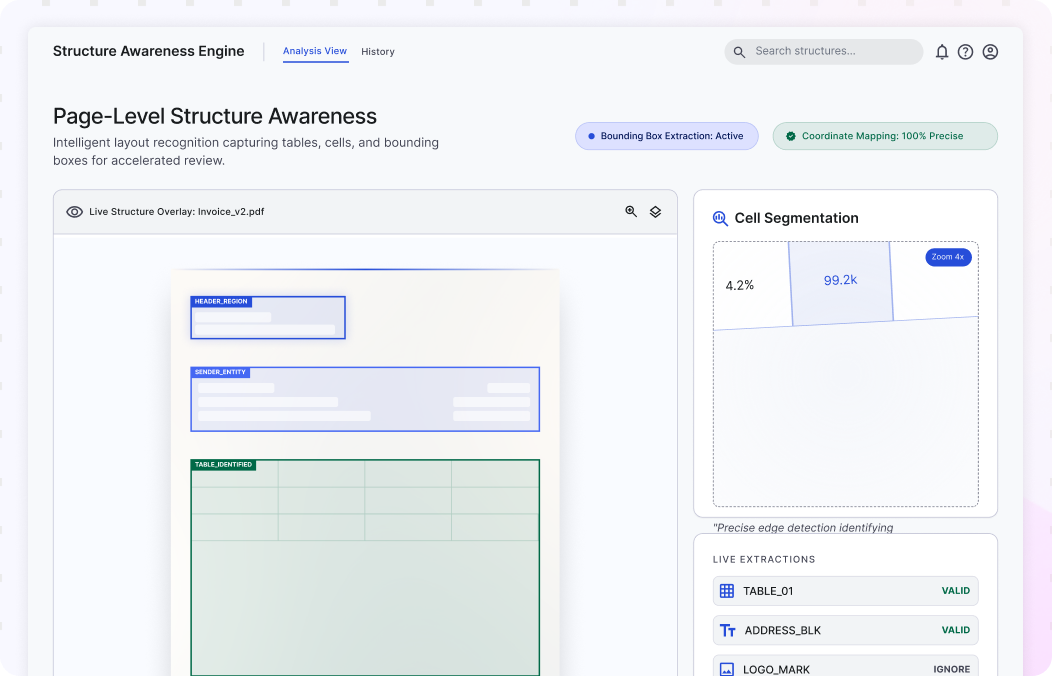
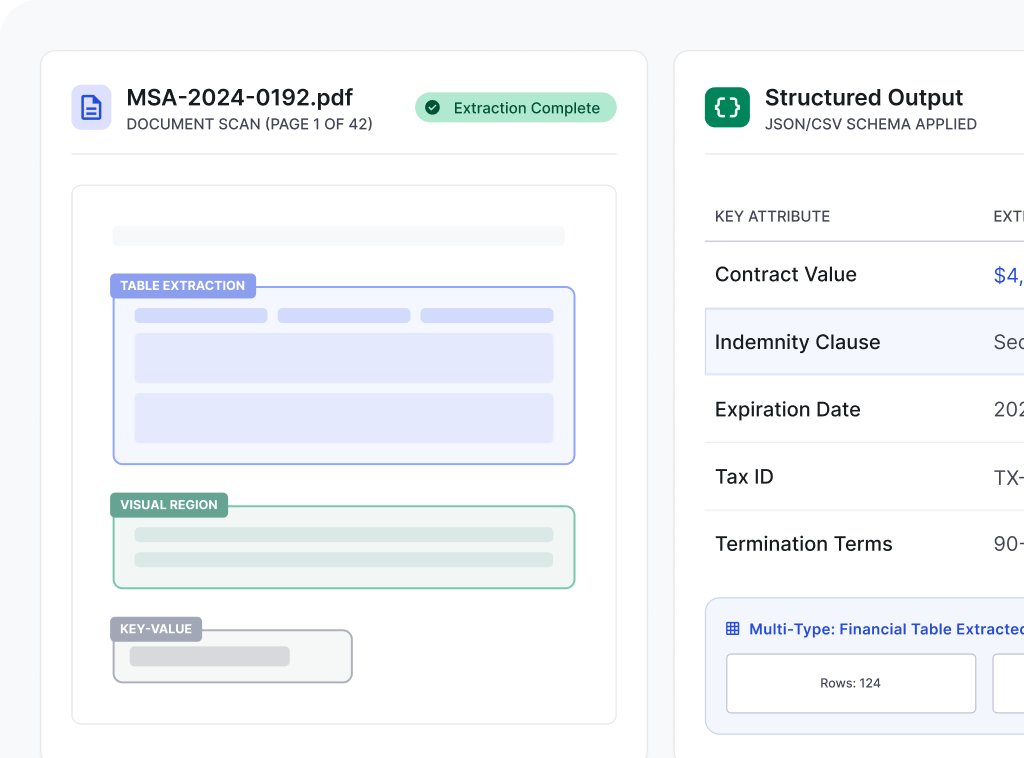
Collatio recognizes more than plain text during digitization. It captures bounding boxes for text, cells, tables, images, and common chart elements, so content stays tied to its exact location on the page. This helps when layouts shift across vendors or when tables span multiple pages. Reviewers can navigate directly to the right region instead of hunting through scans, even in dense tables.

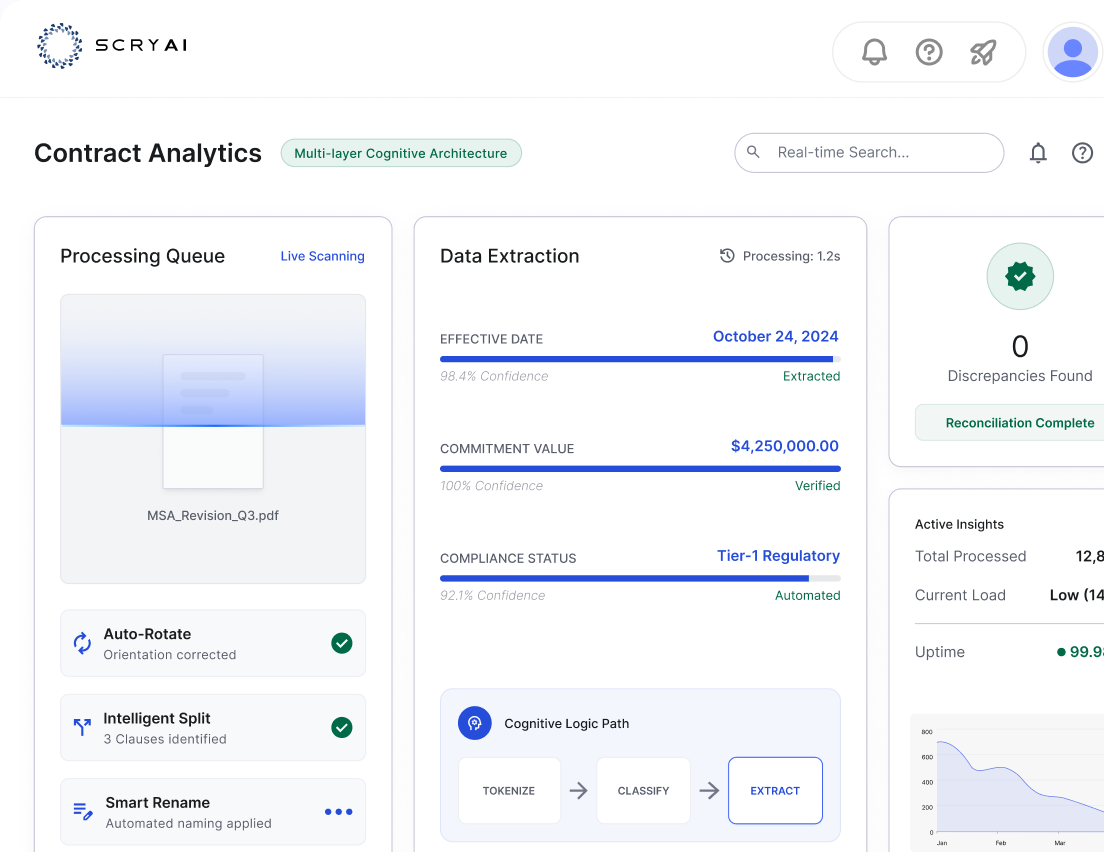
Queue Visibility and Indexing Signals for Routing

Queue Visibility and Indexing Signals for Routing

After digitization, Collatio keeps scanned files organized for search and routing. Each document stays visible in the queue with its status, batch context, and identifiers that teams can use for filing rules. This reduces manual naming and sorting across shared repositories. Teams also get a consistent way to find scanned documents later without relying on folder conventions or email trails.

Exception Review for Low-Confidence Pages

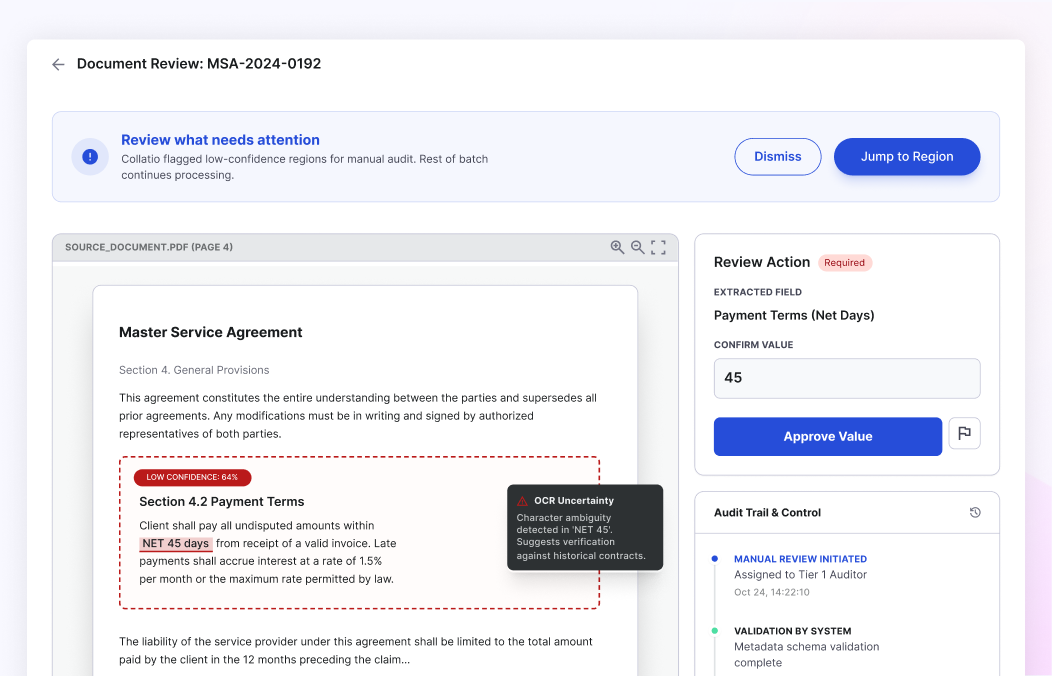
Exception Review for Low-Confidence Pages

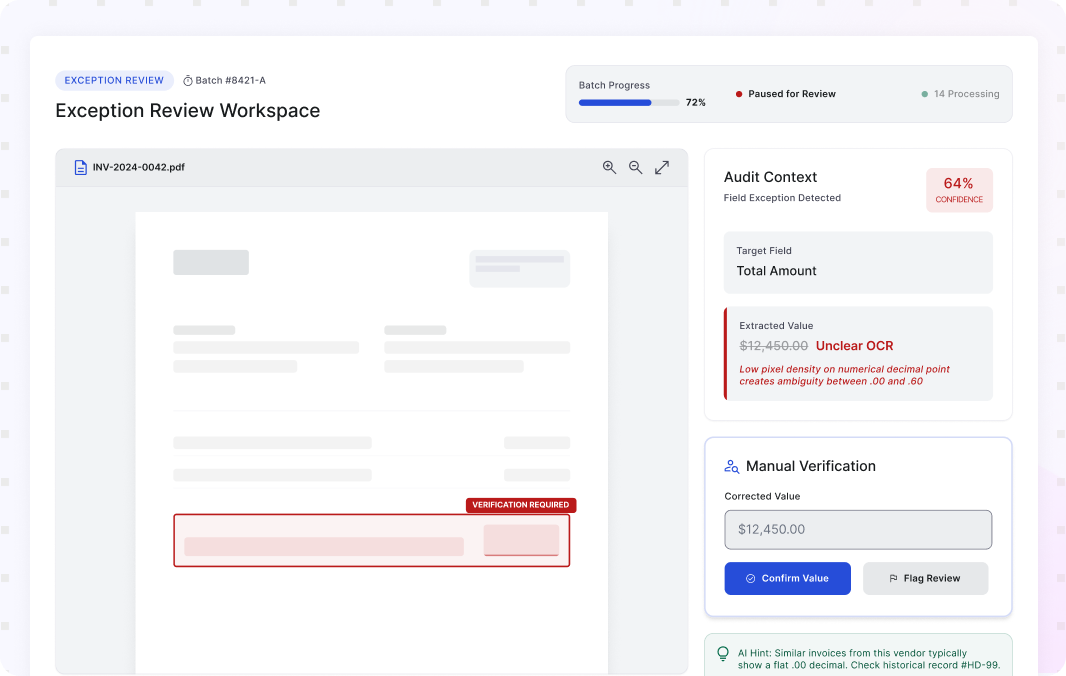
When a page or region remains unclear, Collatio does not guess. It flags the exception and points reviewers to the exact area that needs attention, with surrounding context from the page. Review stays focused, and the rest of the batch continues. Review actions can be tracked for accountability, which helps teams maintain confidence in scanned outputs during audits or disputes.

Operational Outcomes from Automated Document Scanning

Automated document scanning improves scan readiness by correcting page-quality issues before OCR and converting files into searchable, machine-readable content.

0% +grow

Digitization accuracy for machine-readable PDFs

0% +grow

Accuracy for scanned PDFs and images

0+ grow

Document types recognized

0% +grow

Table extraction accuracy for complex multi-page tables

Automated Document Scanning That Keeps Batches Moving With Collatio

Collatio digitizes scans with neural OCR, handles scan distortions, and keeps every file trackable through queue-based statuses.

Book a Personalized Demo
Cta Image

How Does Collatio Automate Document Scanning?

Centralized intake and batch uploads

Users upload files through the UI or send them through the Upload API. Collatio accepts single files or batches. Every upload appears in the document listing with a live processing status, so teams track progress from one place.

Centralized intake and batch uploads

Handle distortions before OCR

Collatio prepares scans by correcting common quality issues such as skew, angular rotation, shadows, smudges, and 3D skew. This step improves readability across mixed-quality inputs and reduces re-scans caused by poor scan conditions.

Handle distortions before OCR

Digitize scans into searchable text

Collatio uses neural OCR to convert scanned PDFs and images into searchable, machine-readable text. It keeps the original scan available for reference. Teams can search, review, and route documents without manual retyping.

Digitize scans into searchable text

Keep page regions tied to the source

Collatio preserves page-level structure through bounding boxes for text and tables. Reviewers can jump to the exact region that produced an output. This saves time on long pages with dense tables or varied layouts.

Keep page regions tied to the source

Review what needs attention

Collatio flags low-confidence pages or regions and points reviewers to the exact area that needs a review. The rest of the batch continues. Review actions and stay traceable for internal control.

Review what needs attention

Industries We Serve

Compliance and Audit Controls for Scanned Data

SOC
ISO
  • Data Security Compliance

    ISO 27001 and SOC 2 Type II aligned controls support secure infrastructure and data handling.

    Work within you enivorment
  • Privacy Regulations

    GDPR, HIPAA, and CCPA alignment supports lawful processing across environments.

    Data encryption
  • Enterprise Governance

    Access control, audit trails, and role-based permissions support accountability.

    Secure integrations

Powerful Integrations for Connected Workflows

Collatio integrates with ERP, CRM, and database systems so scanned outputs can move into downstream operations.

Automated Document Scanning That Turns Scans Into Searchable Files

Collatio supports UI uploads, the Upload API, and custom deployments that can ingest data directly from databases or servers.

Book a Free Demo

Insightful Resources

Discover how SCRY AI solutions bring accuracy and innovation in document processing, conversational AI, and IoT operations.

Frequently Asked Questions

Find answers to the common questions about automated document scanning, including how it improves scan quality, text capture, and document handling across busy teams.

Automated Document Scanning software digitizes paper and scan-based files, converts them into searchable content using OCR, and prepares outputs for routing, storage, and downstream processing.

A typical Automated Document Scanning workflow includes intake, scan cleanup, OCR conversion, separation of batches or stitched files, indexing or metadata assignment, and exception review for unclear pages.

OCR accuracy drops when scans include skew, shadows, noise, or low contrast. Preprocessing corrects these issues so OCR can read text more reliably, which reduces downstream rework.

Yes. Collatio prepares stitched packs by separating page sets and maintaining boundaries so each document can be processed and routed correctly.